Unique eye-friendliness
Ambient light sensor: Built-in ambient light sensor intelligently optimizes brightness and color temperature based on your environment.
Improved ComfortView Plus: This feature reduces harmful blue light emissions to less than 35% without compromising color accuracy, providing eye-friendliness throughout the day.
Smooth visual experience: The refresh rate of 120 Hz provides fewer flicker, more seamless scrolling and smoother movements than in 60 Hz monitors.
Dell display managerEasy management, unrivaled productivity
Improved multi-tasking: Organize your screen with EasyArrange and save profiles with EasyArrange Memory.
Easy navigation: The USB KVM Wizard lets you use the same set of keyboard, mouse and monitor for multiple PCs. A quick access menu or hotkeys are available for quick switching between the various PCs.
Smooth deployment: Manage your monitors with features that are automatic, comprehensive, and compatible with multiple tools.
Convenient customization: Use the Menu Launcher and hotkeys to quickly access your favorite features and functions.
Environment-friendly solutions for today and tomorrow
Environmental standards: This monitor is made from 85% post-consumer recyclable (PCR) plastic and 90% recycled aluminum in design. It complies with the latest environmental standards such as ENERGY STAR® and TCO Certified Edge and has an EPEAT® Gold registration.
Environmentally conscious packaging: Dell monitors are supplied in cartons made from 100% renewable materials and 100% recyclable.
Power saving: PowerNap , a function that dims the screen or puts it into sleep mode when not in use, saves power.
"Living" work
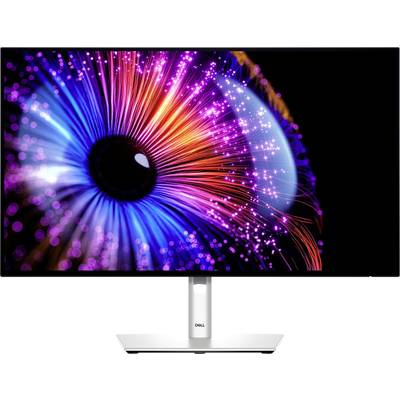
First-class image quality: This monitor with IPS Black technology offers deeper black tones, more accurate grayscale, and an extraordinary contrast (2000:1) over a wide viewing angle.
Vibrant, lifelike colors: Enjoy 1.07 billion colors and broad color coverage based on industry standards, including 98% DCI-P3, 98% Display P3, 100% sRGB, and 100% BT.709 < , and a color calibration accuracy of Delta E 2 (average) (sRGB, BT.709, Display P3, DCI-P3).
All via 1 cables
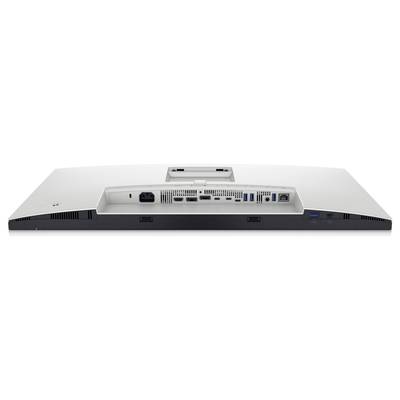
All over 1 cables: The Thunderbolt 4 transfers data and video signals at speeds of up to 40 Gbit/s and provides up to 90 W power for your PC.
Stable connection: Fast Ethernet gives you speeds of up to 2.5 GbE.
Highest productivity
Highest productivity: When you connect two PC sources to the monitor, the Auto KVM function switches the control seamlessly to the second connected PC. With KVM-functions (keyboard, video and mouse) you can control both PCs via a single keyboard and mouse.
More on a single screen: View content from two PC sources with Picture-in-Picture (PiP) and Picture-by-Picture (PbP).
More connectivity
More connectivity: Use more connectivity - via DisplayPort 1.4, HDMI (HDCP 1.4, supports up to QHD with 2,560 x 1,440, 120 Hz, TMDS, VRR according to HDMI 2.1 specification), USB A and USB C ports that offer speeds of up to 10 Gbps.
Simple connection
Simple connection: Connect accessories and devices easily via a quickly accessible USB A- as well as a USB-C port with a power supply of up to 15 W.
Expand your perspective
Experience uncompromising picture quality with Daisy-chaining of 2 monitors.
Ergonomic design
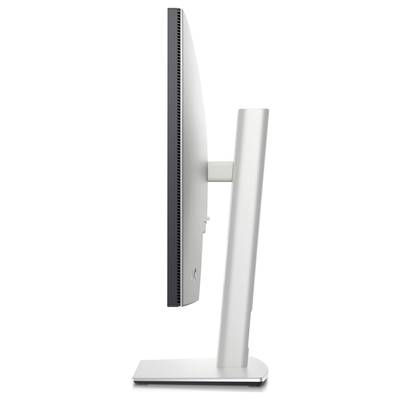
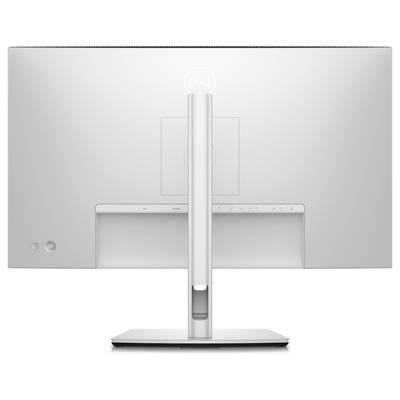
Custom-made for your style of work: You can tilt, swivel, rotate and adjust the height of your monitor as per the way you work.
Focus on your work: Our InfinityEdge screen provides an almost borderless experience.
Elegant work: The Platinum silver premium interface is a highlight at any workplace.
Dell color management
Adjustable colors: With the new Dell color management software, developed in partnership with the Calman Verified certification, you can easily calibrate the colors of your monitor.
Custom for you: Create, store and manage ICC profiles on your computer dynamically via the software dashboard.
Comprehensive compatibility: Dell color management software is compatible with multiple operating systems, including Windows and MacOS®.
This text is machine translated.