1 Piece(s) (Only while stocks last)
Sales and shipping:
Number
Total (€ 163.86 / piece)
€
Only 1 Piece(s) available
Highlights & Details
Garmin DriveSmart 55 MT-D EU Sat nav 13.9 cm 5.5 inch Europe
- 13.9 cm (5.5") large color display
- Lifetime map updates *
- Maps for Europe
Technical specifications
- Maps
Europe
- Product type
Sat nav
- Screen size diagonal (cm)
13.9 cm
- Screen size diagonal (inches)
5.5 inch
- Map updates included
Lifetime
- Supplied maps, details
Albania
Andorra
Belgium
Bulgaria
Denmark
Germany
Estonia
Finland
France
Greece
Show more
- Mounting type
Portable
- Dim
(W x H x D) 137.2 x 76.2 x 17.8 mm
- Width
137.2 mm
- Height
76.2 mm
- Depth
17.8 mm
- Weight
150.5 g
- Interfaces
Bluetooth
- UKCA
yes
Documents & Downloads
Datasheet
Datasheet 1900639 Garmin DriveSmart 55 MT-D EU Sat nav 13.9 cm 5.5 inch Europe
User & Safety Instructions
User & Safety Instructions 1900639 Garmin DriveSmart 55 MT-D EU Sat nav 13.9 cm 5.5 inch Europe
Description
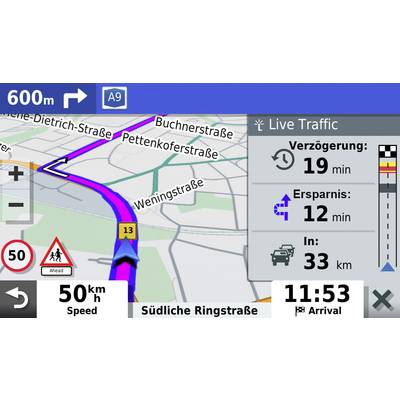
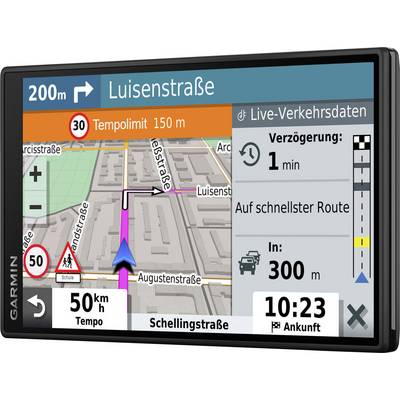
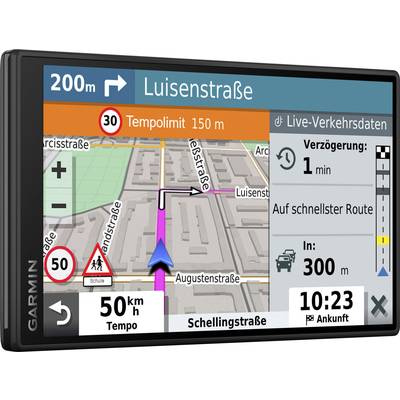
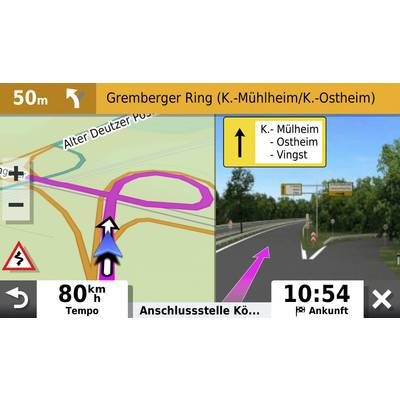
For drivers who like to experience adventure while traveling, the Garmin DriveSmart 55-Navi is the ultimate companion. The simple menu navigation and user-friendly cards make the use for pleasure. Turn-by-turn instructions are easy to read on the bright 5.5-inch, high-resolution and frameless multi-touch glass display of the Garmin DriveSmart 55. Traffic data and map updates are included as well as the useful driver assistance, which increases the safety while driving.
Avoid the traffic jam
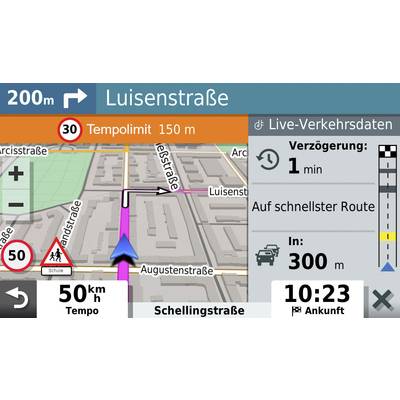
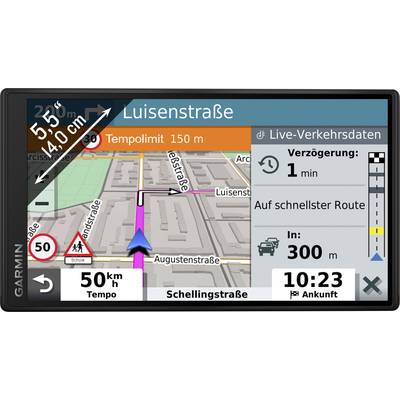
Jams are no longer a problem for you. Avoid them easily. Alternative routes are suggested for you to avoid construction or accidents on the route. Garmin's digital traffic service is ready to go right out of the box. This is ensured by the included traffic data cable. So you don't have to pair the navigation system with a smartphone to get traffic information. On request, Live Verkehrsdaten2 is available when paired with your smartphone via the Garmin Drive™ app.
Control the navigation system with your voice
Say "OK, Garmin" and the navigation system will follow your voice commands and guide you to your destination.
TripAdvisor for your perfect trip
View TripAdvisor travel reviews for hotels, restaurants, and attractions along the route or near your destination.
Update your navigation system via WLAN
Thanks to the integrated WLAN-interface it is very easy to keep the cards and the software up-to-date without computer.
Bluetooth® makes operation easier
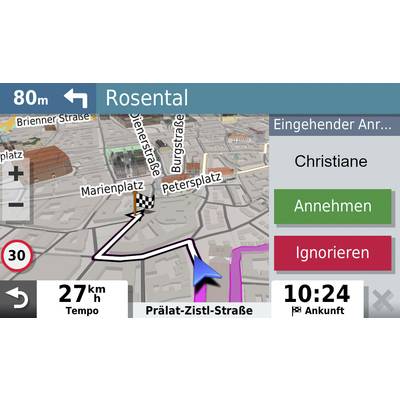
When you pair the Garmin DriveSmart 55 with your compatible smartphone, you can use the hands-free function via Bluetooth wireless technology.
Get real-time functionality
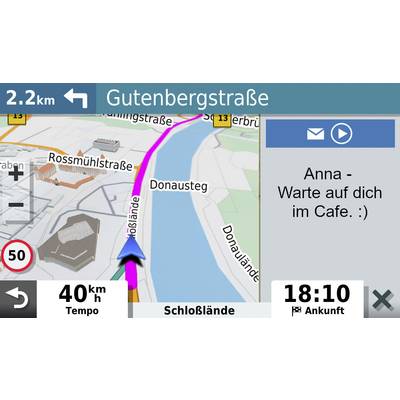
Pair the navigation unit with your phone and download the Garmin Drive™ app. You can get real-time zugreifen2 information, including live Parkplatzdaten3 safety cameras, live traffic data and weather conditions. When connected, SMS messages and other Benachrichtigungen2 from your smartphone appear directly on the screen of the navigation system.
Explore new shops and restaurants
This navigation system comes pre-installed with Foursquare data, so you can easily find millions of new and popular points of interest.
Drive more consciously and safely
In order to make your drive safer, the integrated driver assistance warns you against sharp curves, speed changes, safety cameras and railway crossings.
Clear cards provide for the best orientation
Simple and easy to use maps show buildings and terrain in 3D, making it easier to find the right way.
Perfect navigation with Garmin Real Directions™
With easy-to-understand turn-by-turn directions that speak street names, you'll be guided to your destination as if you were a good friend. The names of streets, shops and clearly recognizable landmarks serve as clues (e.g. "Turn right after the red building").
POIs along your route
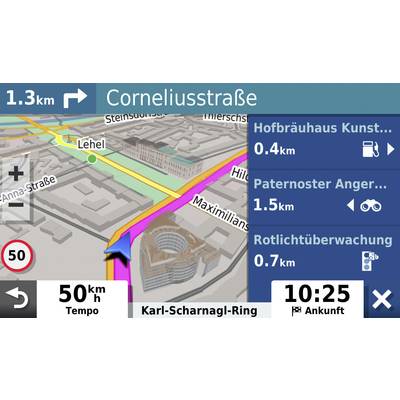
Use the useful POIs along your route to view restaurants, petrol stations, and the nearest cities along your route.
Get to your destination easier
The Direct Access function simplifies navigation to large-scale destinations such as airports or shopping centers. Even navigate parking lots to find the closest entrance to your destination.
Navigate confidently
A search box makes it easy to find addresses and millions of POIs. If you've typed something, you'll see search results that are similar to what you've typed.
Drive more safely - even backwards
See what happens behind you. Pair the navigation unit with the BC™ 30 wireless rear-view camera (sold separately; installation recommended by qualified personnel). After the device is connected, you can see vehicles, pedestrians and other obstacles directly on the display of the navigation system when you reset.
High-quality maps for your trip
It can depend on the quality of your map data, whether you reach your goal or whether you are experiencing it. Thanks to the high-quality HERE-map data, you get the necessary information from the navigation system at exactly the right time.
This text is machine translated.
Avoid the traffic jam
Jams are no longer a problem for you. Avoid them easily. Alternative routes are suggested for you to avoid construction or accidents on the route. Garmin's digital traffic service is ready to go right out of the box. This is ensured by the included traffic data cable. So you don't have to pair the navigation system with a smartphone to get traffic information. On request, Live Verkehrsdaten2 is available when paired with your smartphone via the Garmin Drive™ app.
Control the navigation system with your voice
Say "OK, Garmin" and the navigation system will follow your voice commands and guide you to your destination.
TripAdvisor for your perfect trip
View TripAdvisor travel reviews for hotels, restaurants, and attractions along the route or near your destination.
Update your navigation system via WLAN
Thanks to the integrated WLAN-interface it is very easy to keep the cards and the software up-to-date without computer.
Bluetooth® makes operation easier
When you pair the Garmin DriveSmart 55 with your compatible smartphone, you can use the hands-free function via Bluetooth wireless technology.
Get real-time functionality
Pair the navigation unit with your phone and download the Garmin Drive™ app. You can get real-time zugreifen2 information, including live Parkplatzdaten3 safety cameras, live traffic data and weather conditions. When connected, SMS messages and other Benachrichtigungen2 from your smartphone appear directly on the screen of the navigation system.
Explore new shops and restaurants
This navigation system comes pre-installed with Foursquare data, so you can easily find millions of new and popular points of interest.
Drive more consciously and safely
In order to make your drive safer, the integrated driver assistance warns you against sharp curves, speed changes, safety cameras and railway crossings.
Clear cards provide for the best orientation
Simple and easy to use maps show buildings and terrain in 3D, making it easier to find the right way.
Perfect navigation with Garmin Real Directions™
With easy-to-understand turn-by-turn directions that speak street names, you'll be guided to your destination as if you were a good friend. The names of streets, shops and clearly recognizable landmarks serve as clues (e.g. "Turn right after the red building").
POIs along your route
Use the useful POIs along your route to view restaurants, petrol stations, and the nearest cities along your route.
Get to your destination easier
The Direct Access function simplifies navigation to large-scale destinations such as airports or shopping centers. Even navigate parking lots to find the closest entrance to your destination.
Navigate confidently
A search box makes it easy to find addresses and millions of POIs. If you've typed something, you'll see search results that are similar to what you've typed.
Drive more safely - even backwards
See what happens behind you. Pair the navigation unit with the BC™ 30 wireless rear-view camera (sold separately; installation recommended by qualified personnel). After the device is connected, you can see vehicles, pedestrians and other obstacles directly on the display of the navigation system when you reset.
High-quality maps for your trip
It can depend on the quality of your map data, whether you reach your goal or whether you are experiencing it. Thanks to the high-quality HERE-map data, you get the necessary information from the navigation system at exactly the right time.
This text is machine translated.
Scope of delivery
- Garmin DriveSmart 55
- Suction cup mount
- Car connection cable with DAB receiver
- USB cable
- Quick start guide
Hints
1 smartphone with Bluetooth technology required (sold separately)
2 To use this feature, the Garmin Drive™ app must be installed on your compatible Bluetooth and GPS-enabled smartphone
3 parking data is available for most city centers. Coverage information: Parkopedia.com
4 not available in all areas