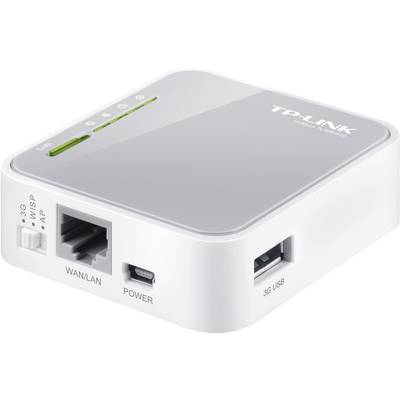
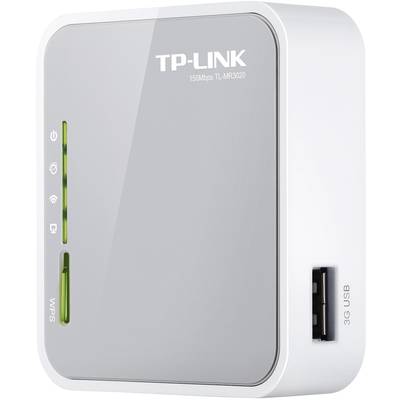
Share the freedom of 3G! The TL-MR3020 3G/3.75G wireless N router enables users to share a mobile 3G/3.75 G broadband connection with their family and friends on the train, while camping, in a hotel, and virtually anywhere within the 3G/3.75 G coverage area. If you connect a UMTS/HSPA/EVDO USB modem to a router, a WLAN hotspot is set up in no time.
Handy and flexible
The distinguishing features of this model are its size and its flexible mini USB port, with which you can operate it via a desktop computer or the adapter supplied. This creates a WLAN hotspot into which iPads™, iTouches™, Android™ phones, Kindles™, and many other portable WiFi devices can log in.
Field tests verify high compatibility
Compatibility is the most important aspect that must be considered when selecting a 3G router. To ensure the best possible compatibility between our routers and the modem you want to use with the router, TP-LINK has ensured that our 3G routers are compatible with the ISPs in the regions where they are sold. We have teams around the globe constantly testing our routers with the new modems that are coming on the market to make sure that the end users can be sure that their router will work smoothly in the place where they live and work.
WLAN security at the push of a button
Compatible with WiFi Protected Setup ™ (WPS), the TL-MR3020 offers a quick security setup with which you can ensure security within seconds by pressing the "WPS" button on the router, which automatically establishes a WPA2 connection that is significantly more secure than the WEP.
This is not only faster than normal security setups, but also more convenient, as you do not need to remember a password.
IP QoS – control the bandwidth according to your requirements
The TL-MR3020 supports the IP-QoS-function, which allows optimal use of the bandwidth and offers bandwidth control when there are bottlenecks, to prevent an abuse of the bandwidth. Users in small networks are allocated committed and specific bandwidth which prevents non-critical applications from impairing network performance.
Easy to use
Even inexperienced users can easily set up their network products. The device is delivered with a CD-ROM including an easy setup wizard that will guide you step by step through the installation process and will even help you with the WiFi settings and with the security configuration.
This text is machine translated.