Virtual Reality Gaming for PC & Notebook
Updated: 16.07.2021 | Reading time: 6 minutes
This text is machine translated.
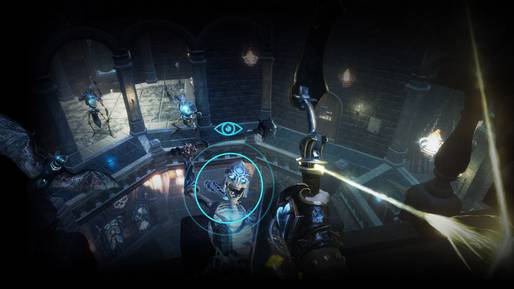
VR glasses for your PC or laptop turn fascinating games such as Half-Live: Alyx, Blaston, Microsoft Flight Simulator, Paper Beast and the many Windows Mixed Reality games for Windows 10 into an experience. Racing through distant galaxies at top speed, going on a puzzle and discovery tour or taking part in a fight in 360° perspective impresses almost all the senses in 3D space.
The special virtual reality aesthetic transports you and the whole family into breathtaking scenery. Virtual reality gaming is getting better and better thanks to technical developments and the prices for VR glasses and suitable graphics cards are falling. In this guide, you will find out what you need as a minimum for the perfect VR experience with your desktop PC or notebook.
VR solutions for smartphones offer the most affordable introduction to virtual reality. Passive headset frames for inserting the smartphone for VR beginners are suitable for initial excursions into 3D worlds, but do not offer a high-quality 3D experience.
Standalone headsets such as Oculus Go and Quest are all-in-one systems and work independently. The standalone VR systems contain all the technology you need to get started straight away.
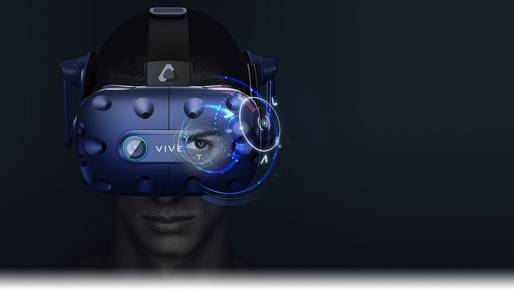
The premier class are virtual reality headsets that are fed with games from a PC or laptop. The best-known products include HTC Vive, HTC Valve Index, HP Reverb and Oculus Rift with their various models. The graphically sophisticated VR games and simulations boast razor-sharp images, smooth animations and the ability to quickly adjust the perspective of the playing field when panning your head.
If you want the concentrated gaming power of high-end VR for a very realistic gaming experience, a PC VR headset is the right choice. Optical tracking of the glasses via inside-out tracking or outside-in tracking and spatial sound create a virtual world with convincing immersion. The real environment fades so far into the background that the virtual environment is perceived as real by the gamer.
On PCs and notebooks, the possibilities of VR go far beyond games. In the field of education and edutainment, VR imparts knowledge, in the construction industry buildings can be entered virtually and companies use PC VR glasses in the areas of training, quality assurance and service.
Gaming PC
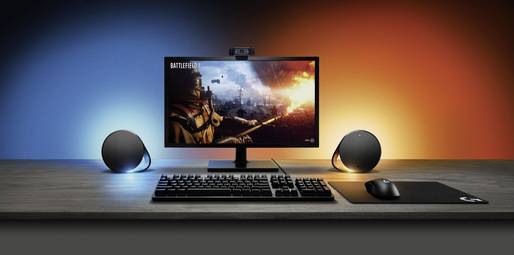
High-resolution VR headsets benefit from powerful PC hardware for complex 3D games. Gaming PCs are ideal for VR as they are equipped with a powerful processor and high-performance graphics card. The powerhouses with Windows 10 provide the OLED displays in the goggles with vivid images, react at lightning speed to changes in position and prevent the phenomenon of motion sickness.
Processor, RAM and graphics card
Pay attention to the system requirements for your desired headset. The minimum requirements are usually an Intel Core i5, AMD Ryzen 5 or equivalent processor, 8 GB RAM and a 512 GB SSD.
4 GB RAM and a 250 GB SSD are not enough. You also need an NVIDIA GeForce or AMD Radeon graphics card. These systems are capable of Full HD and higher resolutions, but do not exploit all the possibilities in the game.
Suitable headset
Connect the gaming headset to your gaming computer via DisplayPort or a USB Type-C cable. Take into account the DisplayPort version required by the manufacturer. The minimum requirement is DisplayPort 1.2, some VR systems require DisplayPort 1.3 or higher.
What do you need for VR gaming on a notebook?
High-resolution displays, fast graphics and high-end CPUs: gaming laptops are just as suitable for virtual reality as high-performance desktop PCs. In terms of processor and graphics performance, current gaming laptops based on Intel Core can keep up with desktop systems.
Graphics card
High-end gaming laptops with a dedicated graphics card or GPU deliver the image signals to the VR glasses at high speed. This allows you to experience the camera in the cockpit of a racing car just as realistically and smoothly as battle scenes in distant galaxies. On laptops with an internal graphics adapter or onboard GPU, the graphics function is integrated into the processor. These systems with GPU on CPU are generally too slow for VR despite the Intel Core.
Available connections
In addition to the type of graphics unit, the connections determine the VR suitability of gaming laptops. Virtual reality glasses and VR headsets use DisplayPort 1.2 or newer for image transmission. The DisplayPort connection is standard on desktop PCs suitable for gaming.
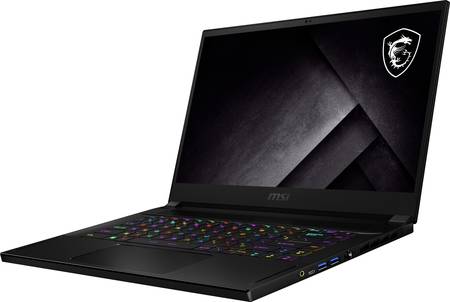
Gaming laptops and high-end laptops are mainly equipped with HDMI, DisplayPort is rare on mobile computers. Instead, many have a video-compatible USB-C port or Thunderbolt 3 in USB-C format. It transports the video signals to external devices and PC VR glasses with a DisplayPort connection can be docked to it. The required adapter (DisplayPort converter) is usually included with a gamer notebook or is available as an accessory.
Our practical tip: plugging in the power supply on the gaming laptop
The performance of gaming laptops is sufficient for smooth VR gaming when using the power supply unit. Windows recognizes the plugged-in power supply unit and refrains from throttling the processor and graphics performance in favour of a longer mobile battery life of the gaming laptop.
SSD and Virtual Reality?
Alongside the processor and graphics card, the SSD drive is the decisive component for gamers. A fast SSD ensures short loading times in VR games, for example when landscape data, objects and textures are shoveled into the main memory as you move through the game world. VR games load large amounts of data during gameplay.
Due to their sluggish mechanics, hard disks are a bottleneck that causes long loading times and detracts from the VR experience. For SSDs, especially models with new NVMe technology, VR data is not a problem. Thanks to higher data rates, the gameplay feels smoother and you can act faster in the game.