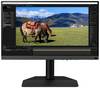
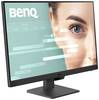
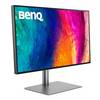
BenQ PD2706U LCD EEC G (A - G) 68.6 cm (27 inch) 3840 x 2160 p 16:9 5 ms DisplayPort, HDMI™, USB type A, USB type B, USB

BenQ PD2706U LCD
Highlights & Details
- Screen size 68.6 cm (27 inch) UHD, 3840 x 2160 p;Response time: 5 msEnergy efficiency rating (calc): G (A - G)
- Interfaces: DisplayPort, HDMI™, USB type A, USB type B, USB C®, Headphone jack (3.5 mm);Blue light reduction, Flicker-free technology, Tiltable, Headphone jack, Height adjustable, Swivelling, Portrait view, Display P3, 3D compatible
Technical specifications
- Product type
LCD
- Resolution (max.)
3840 x 2160 p
- Screen size diagonal (cm)
68.6 cm
- Screen size diagonal (inches)
27 inch
- Screen size diagonal (inches)
27 inch
- Image format
16:9
- Panel technology
IPS LCD
- Frame rate
60 Hz
- Response time
5 ms
- Brightness
350 cd/m²
- Static contrast ratio
1200 : 1
- Pixel density (PPI)
163
- Factory colour
Black
- Interfaces
DisplayPort
HDMI™
USB type A
USB type B
USB C®
Headphone jack (3.5 mm)
- No. of DisplayPort
1 x
- No. of HDMI ports
1 x
- No. of USB ports
2 x
- No. of USB 3.2 2nd Gen (USB 3.1)
1 x
- No. of USB 3.0 ports
1 x
- Features
Blue light reduction
Flicker-free technology
Tiltable
Headphone jack
Height adjustable
Swivelling
Portrait view
Display P3
3D compatible
- Inclination
-5/+20
- Adjustable height
110 mm
- Angular position
90°
- Swivel angle
15°
- Power consumption (standby)
0.5 W
- Hor. viewing angle
178°
- Vertical viewing angle
178°
- Screen coating
Anti-glare
- HDR support
Yes
- HDR format
HDR10
- HDR-certified
VESA DisplayHDR 400
- Width
614 mm
- Height
561 mm
- Depth
238 mm
- Weight
8.3 kg
- Power supply (details)
100 - 240 V
- Dim
(W x H x D) 614 x 561 x 238 mm
- Screen size/position settings
Tilt
Height
Pivoting
Pivoting (rotation)
- OSB languages
Arabic
Chinese (trad.)
Chinese (simplified)
German
English
French
Dutch
Italian
Japanese
Polish
Show more
- Display size
24 inch - 29 inch
- Display type
LED backlit
- Range of uses
Office
Home
Design
- Display resolution mode
UHD
- Wall mounting option
100 x 100 mm VESA standard
G (A - G)
- Display
68.6 cm (27 inch)
- Screen resolution
Ultra HD (3840 x 2160 Pixel)
- Display (cm)
68.6 cm
42 kWh/year
- Power consumption (off)
0.3 W
- Power consumption (ON)
42 W
- UKCA
yes
Documents & Downloads
Datasheet
Datasheet 3089926 BenQ PD2706U LCD EEC G (A - G) 68.6 cm (27 inch) 3840 x 2160 p 16:9 5 ms DisplayPort, HDMI™, USB type A, USB type B, USB
User & Safety Instructions
User & Safety Instructions 3089926 BenQ PD2706U LCD EEC G (A - G) 68.6 cm (27 inch) 3840 x 2160 p 16:9 5 ms DisplayPort, HDMI™, USB type A, USB type B, USB
Description
Large color room cover
PD2706U covers 95% P3, 100% sRGB, and 100% REC. 709 color areas with amazing Delta E ≤ 3 color reproduction from it provides excellent accuracy and absolute color fidelity.
Synchronizes your Mac with just one click
The exclusive BenQ M-book mode enables active color synchronization and thus creates an additional level of color precision.
Mac ® and MacBook ® are trademarks of Apple Inc.
Colour consistency in range
BenQ ICCsync automatically adjusts ICC profiles and automatically synchronizes them on the monitor when you change the color mode, as well as between your Mac and BenQ screen. All this happens immediately.
Animation Mode
Improve the clarity of dark areas without exposing bright areas.
CAD/CAM mode
Enjoy an excellent contrast of lines and shapes in technical illustrations.
Dark room mode
Adjust the image brightness and contrast for working in dark environments.
EPaper mode
Simulates the E-book display for convenient reading and editing of digital publications.
Dual view
Show designs side by side in two modes for improved workflow and productivity.
Factory calibration for color accuracy
BenQ DesignVue monitors have a careful factory calibration, allowing designers to fully exploit the full color accuracy of the display from the start.
Pantone Connect premium
Get digital with BenQ, the first brand to work with Pantone in a mobile APP. As an existing owner or new purchaser of BenQ professional monitors, you will receive Pantone Connect Premium for a year of digital mobile color consistency and accuracy.
Colour precision
The PD2706U has Pantone and Pantone Skintone validation for professionals who need a display with the highest accuracy when working with real colors.
Available immediately
PD2706U is fully Calman-verified. Creative professionals demand excellence, and BenQ keeps WAS promising.
One-click color synchronization
BenQ ICCsync quickly installs pre-calibrated ICC profiles on your laptop and more. Thanks to the ICC profile compatibility the BenQ ICCsync is easy to synchronize with just one click via the BenQ display pilot.
Colour consistency in range
BenQ ICCsync automatically adjusts ICC profiles and automatically synchronizes them on the screen when you change the color mode, as well as between your Mac and BenQ screen. All this happens immediately.
BenQ uniform technology
BenQ's outstanding uniformity technology delivers first-class image reproduction across the entire display. By highly precise hardware components, optimal color and brightness values are calculated for numerous areas of the screen. In this way the Uniformity technology guarantees accurate color reproduction, vivid images and consistently uniform image quality.
HDR technology
Display HDR400 gives you better results when you work on designs with better brightness, color uniformity and black levels.
All-in-one cable
90W USB-C transfers quickly pictures, videos and other data from your terminal. You can also charge your mobile devices with a cable at the same time.
KVM switch
With the integrated KVM switch function (keyboard, video, mouse) PD2706U enables the users to control two systems via one keyboard and one mouse set. Click to switch systems via Hotkey Puck G2 and increase efficiency.
Hot key puck
BenQ hotkey puck G2 gives users the flexibility to customize and access their most commonly used functions. Press and change the slider to access brightness, contrast, and volume settings, and use the three function keys to assign shortcuts to function sets. In addition, users can use the rotation key to assign custom shortcuts to settings.
PIP/PBP
Switch to split screen. Picture-in-Picture (PIP) and Picture By Picture (PBP) allow you to customize your workflow.
Dual view
View and compare designs side by side in two different color modes.
CAD/CAM mode
Enjoy an excellent contrast of lines and shapes in technical illustrations.
Animation mode
Improve the clarity of dark areas without exposing bright areas.
Dark room mode
Adjust the image brightness and contrast for working in dark environments.
EPaper mode
Simulates the E-book display for convenient reading and editing of digital publications.
Eye-friendly work
BenQ's industry-leading Eye-Care technology reduces eye fatigue and provides greater comfort over time.
This text is machine translated.
Features
- 98% Adobe RGB and 95% DCI-P3/Display P3 with 10 bit 3D LUT
- Wireless Hotkey Puck and USB Type-C™ with 90 watt Power delivery
Scope of delivery
- Cable
- Quick guide.
What kind of Monitors are you looking for?
- 120Hz monitor
- 144 Hz monitor
- 165 Hz monitor
- 180 Hz monitor
- 32" monitor
- 34" monitor
- 4K monitor
- 5K monitor
- 60 Hz monitor
- Apple Studio Display
- Arropa monitor
- Asus monitor
- Dell monitor
- EIZO monitor
- Freesync monitor
- Full HD monitor
- Gaming PC monitors
- HDMI monitor
- Height-adjustable monitor
- HP monitor
- IPS panel
- LC Power monitor
- LCD monitor
- LED monitor
- Monitor and speaker
- Monitor and webcam
- PC curved monitor
- PC monitor 24"
- PC monitor 27"
- Pivoting monitor
- QHD monitor
- UHD monitor
- Ultrawide Monitors
- USB-C monitor
- UWQHD monitor
- ViewSonic monitor
- WQHD monitor