Number
Highlights & Details
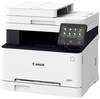
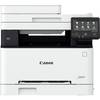
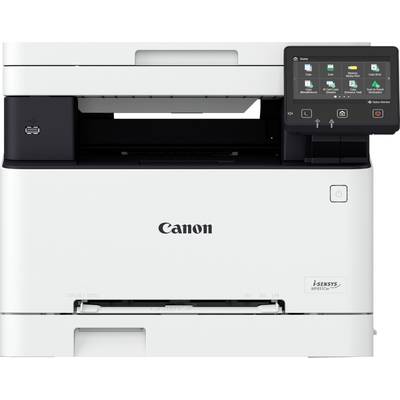
i-SENSYS MF 651 Cw Multifunction printer A4
- 18 pages/min. A4 print speed
- Print and scan connectivity
- Secure printing with PIN and system verification at startup
- 12.7 cm color touchscreen
Technical specifications
- Product type
Multifunction printer
- Functions
Printer, scanner, copier
- Print resolution
1200 x 1200 dpi
- Print speed (black/white)
18 pages/min
- Print speed (colour)
18 pages/min
- Paper size (max.)
A4
- No. of feeders
2
- Paper volume
250-sheet cassette + manual feed
- Paper load (tray 1)
250 Sheet
- Scan resolution
600 x 600 dpi
- Paper load (multi-purpose feeder)
1 Sheet
- Scan area/width (max.)
210 x 297 mm
- Interfaces
USB A (USB 2.0)
USB type B
USB A (Host)
Gigabit LAN (1 Gbps)
Wi-Fi 4 (IEEE 802.11)
- Display
5" LCD touch screen display
- Features
AirPrint-compatible
Flatbed
ADF with cover
Network-enabled
Wi-Fi Direct Print
Wi-Fi-compatible
Colour display
Touch display
- Related consumables
Canon cartridge 067 black (1,350 pages)
Canon Cartridge 067H Black (3,130 pages)
Canon cartridge 067 cyan (1,250 pages)
Canon cartridge 067H cyan (2,350 pages)
Canon cartridge 067 magenta (1,250 pages)
Canon cartridge 067H magenta (2,350 pages)
Canon cartridge 067 yellow (1,250 pages)
Canon cartridge 067H yellow (2,350 pages)
- Type
Colour
- Width
451 mm
- Height
360 mm
- Depth
460 mm
- Dim
(W x H x D) 451 x 360 x 460 mm
- Factory colour
White
Grey
- Weight
18.9 kg
- Printing technology
Laser
- Duplex unit
No
- Fax mode
No
- Network
Yes
- Document feeder
No
- Wi-Fi
Yes
- NFC
No
- Suitable for
Text document printing (colour)
Text document printing (B/W)
- Speed (max.)
18 pages/min
- Series
i-SENSYS
- Eco badge reference
Blauer Engel DE-UZ 219
Documents & Downloads
User & Safety Instructions
User & Safety Instructions 3123446 Canon i-SENSYS MF 651 Cw Multifunction printer Laser Colour A4 Printer, scanner, copier LAN, USB, Wi-Fi
Description
These well-networked color laser multifunction systems maximize your printing and scanning efficiency
Comprehensive connectivity options with the cloud and mobile devices enable easy access to documents from any location, while optimized workflows make daily tasks efficient.
Access files in the cloud
The standard cloud connectivity is compatible with Google Drive, Dropbox and OneDrive so that you can quickly and easily print and scan directly from the cloud.
Print from your smartphone
The Canon PRINT business APP, AIRPRINT (Apple) and Mopria (Android) are available for mobile connectivity. This allows you to print from anywhere you are from your mobile device.
Automate everyday tasks
Customize your workflow with the Application Library so that tasks such as printing saved forms, scanning to e-mail, and copying documents at the touch of a button are possible.
Protect confidential documents
Security features include Secure PIN, which does not automatically print sensitive documents, and Verify System at Startup to protect devices from hackers and virus threats.
Increased efficiency
High print speeds, time-saving duplex scanning in one go and a large color touch-screen enable efficient print and scan workflows.
This text is machine translated.