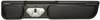
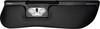
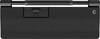
Contour Design RollerMouse Pro Wireless with extended palm rest made of artificial leather
Highlights & Details
- Design RollerMouse Pro cordless
- With extended hand rest made of artificial leather
Technical specifications
- Wrist rest included; Material: Plastic; artificial leather incl. Receiver
- Product type
Mouse
- Transfer type
Bluetooth®
Wireless
USB
- Interfaces
USB type A
- Sensor resolution
2800 dpi
- No. of keys
6 Buttons
- Suitable for (input devices)
Left-handers
Right-handers
- Data input device features
Ergonomic
Big buttons
Built-in scroll wheel
- Factory colour
Black
- Width
152 mm
- Height
23 mm
- Depth
425 mm
- Weight
680 g
- Power supply
Li-ion rechargeable battery (built-in)
- Charging capacity (min.)
5 W
- Charging capacity (max.)
10 W
- Keyboard layout
None (PC-controlled)
- Charging method (Power Delivery)
w/o USB Power Delivery
- UKCA
yes
Documents & Downloads
Datasheet
Datasheet 3339861 Contour Design RollerMouse Pro WL Extended WR Mouse Bluetooth®, Wireless, USB Black 6 Buttons 2800 dpi Ergonomic, Big bu
User & Safety Instructions
User & Safety Instructions 3339861 Contour Design RollerMouse Pro WL Extended WR Mouse Bluetooth®, Wireless, USB Black 6 Buttons 2800 dpi Ergonomic, Big bu
Description
With a centered mouse that allows you to work comfortably and ergonomically at your desk, you implement a proactive approach to a healthy workplace. With the RollerMouse Pro you can control everything: Cursor navigation, programmable buttons and a large scroll wheel are all arranged centrally in front of you. We built them in such a way as to prevent you from overstretching, twisting and overloading.
With magnetic palm rest, available in different sizes and materials, it can be seamlessly adjusted to suit your personal preferences. RollerMouse Pro was designed and developed in Scandinavia in cooperation with ergonomics experts. The Nordic characteristic is reflected in the minimalist approach, which combines functionality with aesthetics.
Two hands are better than one
With a centered mouse, your arms are placed in a natural position in front of the body. This relieves shoulders, arms and elbows, giving you a more comfortable and ergonomic working position. This provides for change, since you can use your right and left hand for cursor navigation, while you control the clickable roller bar with an easy touch of the fingertips. Simply put, you have all the functions within range.
Customize to meet your needs
With our unique, magnetically exchangeable palm rest, you can customize the RollerMouse Pro to suit your personal preferences.
Choose from artificial leather, fabric or natural bamboo, in three different sizes.
Also interesting is our synthetic leather version, it has an antibacterial surface and maximum alcohol resistance for improved hygiene.
In addition, it is easy to change clicking sounds, cursor speed and clicking resistance and thus to find the best set-up for you.
Plug & Play installation
You can connect the RollerMouse Pro completely as desired via Bluetooth, USB-connection or a cable with your PC or Mac. Suitable for keyboards of full width as well as for compact keyboards. Control several screens and adjust the programmable buttons to your preferred shortcut functions.
This text is machine translated.
Features
- Contour Design RollerMouse Pro Wireless with extended palm rest made of artificial leather
- Form factor: Both-handed
- Motion detection Technology: Rollbar
- RF wireless + Bluetooth + USB type-A
- Movement resolution 2800 dpi
- Key Type: Pressed keys
- Number of buttons: 6
- Scroll type: Wheel
- Power source: Batteries / cable
- Product color: Black
System requirements
- OSX
- Windows
What kind of Mice are you looking for?
- 3D mouse
- Apple Magic Mouse & Trackpad
- Bluetooth mouse
- Cherr mouse
- Ergonomic mice
- Evoluent Vertical Mouse
- Gaming mice
- Hama mouse
- Laser mouse
- Lenovo mouse
- LH mouse
- Logitech gaming mouse
- Logitech mouse
- Logitech wireless mouse
- Microsoft mouse
- SpeedLink mouse
- Trackballs
- Trust mouse
- USB mouse
- Wireless mouse