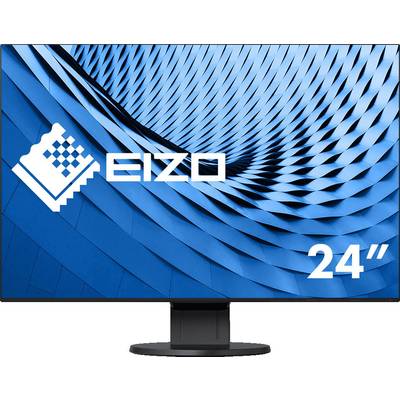
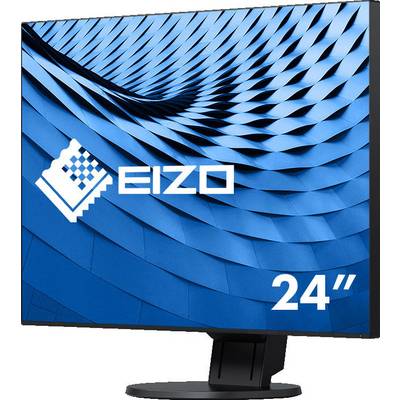
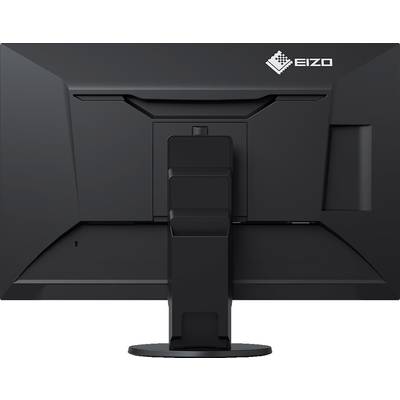
The EIZO FLEX SCAN EV2456 meets the highest demands of a modern workplace. Picture quality and ergonomy convince alike. With 1920 x 1200 pixels, a IPS-LCD module with LEDBacklight and reflection of poor surface it masters a highly detailed and excellent image playback. This makes it easier to work in the office. For the anti-glare, clear view of the picture provides Auto-Eco View and regulates the brightness suitable for your environment. Overall, the ultra-slim monitor because of its extremely narrow margins very compact. Especially in the multi-screen operation excels the almost frameless monitor with convincing overview. The included in the corresponding software screen InStyle opens up the possibility the shield from the Windows PC or from the network. More screen solutions can be used to screen InStyle synchronous operation.
Full flat design
The EV2456 has an ultra-slim casing frame of about 1 mm on the sides and top as well as an approx. 5 mm wide panel frame around the display. This provides for a compact and attractive design. The result: an elegant eye catcher and more space on the
Desk. In the multi-screen operation benefits the user from the almost frameless displays, because their display surfaces are sealed together. Power supply and signal interface are optimally integrated into the device. The EV2456 is available in black or white.
Outstanding image quality
With the resolution of 1920 x 1200 pixels, a contrast ratio of 1000:1 and a brightness of 350 cd/qm results in a first-class ildqualitat with clear graphics and structures, as well as sharp text contours. The LCD module with IPS technology allows for 178 degree viewing angle, thus, colors and contrasts in sehkegel of the user is stable. Recognition and readability benefit.
Auto-Eco View
The Eco view sensor measures the light of the environment and adjusts the brightness of the screen automatically. In bright lighting is the picture brightness reinforced, or, in the case of dark lighting is reduced. A manual brightness control is also possible. The user can freely determine the desired picture brightness. Serves the Eco View Index for orientation, such as environment-friendly the respective setting.
Eco View Optimizer
The Eco View Optimizer is determined and taken into account, the white content of the image content in the control of the background illumination. In case of dark images, the light emission reduced, so that the power consumption can be reduced by up to 30%. The user-specific image brightness remains, however, because the color values according to adapts Eco View Optimizer
Flicker-free
The EV2456 uses a hybrid technology developed by EIZO to control the backlight. It replaces a usual pure PWM-control (Pulse Width Modulation). EIZO dispensed does not quite to the PWM to dark images a precise color stability. The EV2456 uses for this purpose, however, without doubt flicker-free rates with up to 18 kHz. In addition, the brightness thanks to the hybrid technology on 1 cd/m2 can be reduced. The screen remains in dimly lighted environment glare-free.
Overdrive
The switching from pixels is indicated by a pre-calculated overdrive to such an extent that accelerates between different tonwerten on average only 5 ms switching time are needed. Moving pictures and picture change without disturbing delays.
Fine Contrast
This function offers various display modes with different pre-settings for brightness, color temperature and gamma. At the push of a button, it offers ideal for office applications, internet and images (sRGB). The paper mode simulates the pleasant contrast of printed documents and reduces the blue part of light. In addition, there is a DICOM-mode for radiological images as well as two user modes for your own settings are available.
Precise color control
Via a color temperature control can be white points in 500 steps between 4,000 and 10,000 K. In addition, the color saturation (Gain) for RGB colors can be set separately.
Button Guide
For an easy and convenient operation, the EV2456 when the button is touched, a function overview on the screen. It is right next to the control panel of the respective button function much.
Digital and analogue inputs
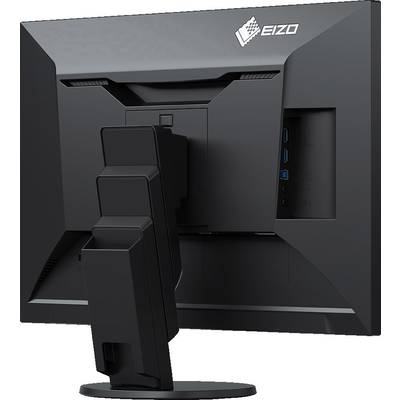
Depending on a display port, HDMI and a DVI-D input allows connection of digital signals. For analogue signals is a D-Sub input are available. Up to four computers can be connected at the same time.
USB hub
A built-in USB Hub V 3.0 enables the connection of peripherals. So, for example. Keyboard and mouse can be connected to the screen on the table.
Screen InStyle
As an alternative to the on-screen menu, the EV2456 with the screen in style of software from the Windows PC are controlled. The setting options include, for example, the color reproduction, energy saving options and ergonomic features, such as the reduction of the blue light share (About Dian dimming). In Multi-screen systems can use the settings screen InStyle synchronously on all connected screens are applied. The situation throughout the network screen InStyle puts administrators to centrally monitor settings.
Monitor Configurator
If multiple screens with the same settings should go into operation, the Eizo Monitor configuration software. With it you can configure and the settings on additional monitors transfer EV2456.
Audio-enabled
Speaker and headphone jack are discreetly integrated in the casing.
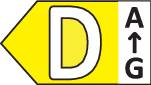
Economical and environmentally friendly
The mercury-free backlight with economical and still bright, white LEDs stands out when EV2456 apart. It consumes at typical use only 11 watts. This reduces energy costs and CO2 emissions.
Flex
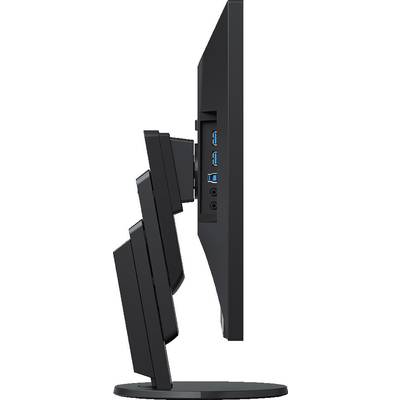
It allows the turning and tilting, as well as the use in portrait or landscape format. The continuous height adjustment begins at the bottom of the desk and has a range of about 16 centimeters. This guarantees optimum ergonomics, no matter whether you are in front of the screen, or sit. Despite its maximum travel option for the flex stand-fu ss but always completely stable.
This text is machine translated.