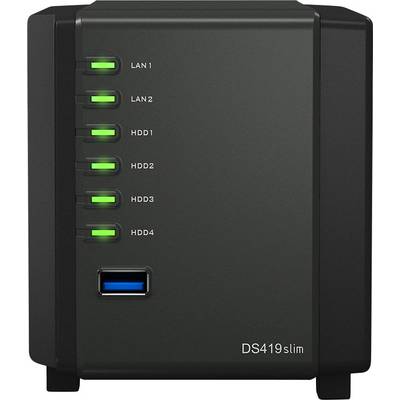
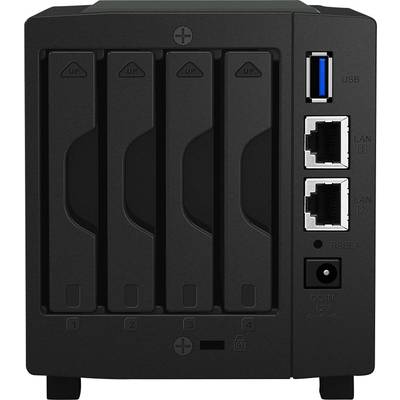
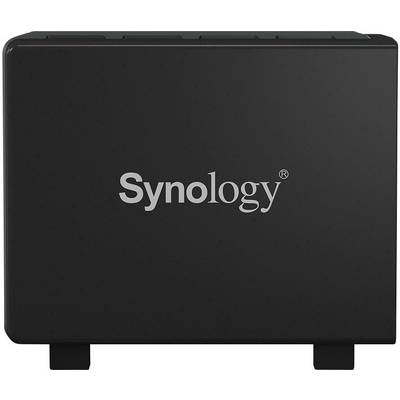
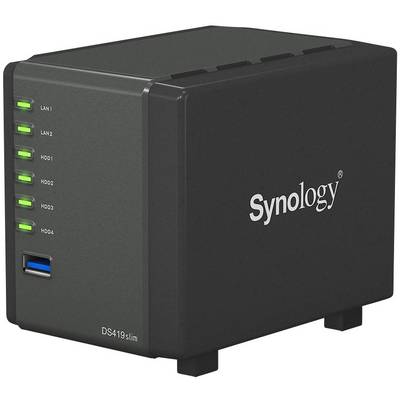
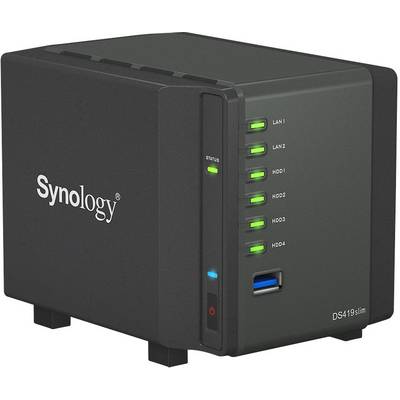
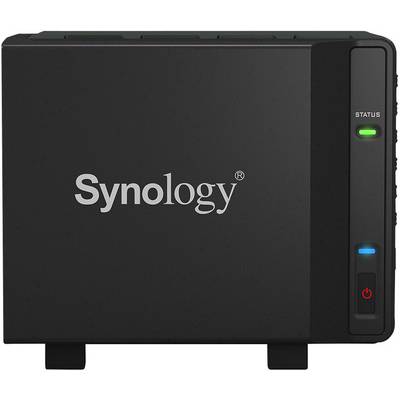
Here is the ultra-compact Synology DiskStation DS419slim, the personal cloud for comprehensive SmartHome solutions. The versatile packages supplied with Synology DiskStation Manager (DSM) can not only simplify file management but also stream multimedia content. The DS419slim enables cross-platform file sharing while protecting the files.
Compact in design, but very large in terms of functionality
The Synology DS419slim is a cube-shaped NAS with 4 slots and serves as a personal cloud for home users. With support for 2.5"-drives the DS419slim is not only ultra-light, but also simplifies the work for you. The DS419slim is equipped with a dual-core processor and delivers first-class sequential throughput of over 220 MB/s (read) and 94 MB/s (write) in a dual Gigabit environment with link aggregation.
The DS419slim has two USB 3.0 ports located on the front and back for fast and convenient data transfer and backup to and from external storage devices. The DS419slim consumes only 20
W while accessing and 7 W when the hard disk is idle and is thus the energy-saving personal 24/7 storage server. With the intuitive, web-based multi-tasking operating system Synology DiskStation Manager (DSM) the DS419slim is particularly user-friendly and ready, so that you can enjoy your home entertainment in the best way.
Cross-platform file sharing and data synchronization
The Synology DS419slim offers comprehensive support of different network protocols for smooth file sharing between Windows, Mac® and Linux® systems. The integration of Windows AD and LDAP enables the DS419slim to be quickly and easily integrated into any existing network environment without having to create new user accounts. With Synology Drive you can synchronize files with Windows, MacOS and Linux computers and also access them via mobile devices. So you can keep your data up-to-date and easily share it with others, anytime, anywhere. Cloud Sync synchronizes your data stored in Dropbox, Google™ Drive, Microsoft OneDrive, Baidu and Box with your personal DiskStation at home.
Easy data backup
Synology Hyper Backup enables the backup of several file versions with incremental data protection at the block level and deduplication across versions. The solution optimizes storage usage and enables backup to various destinations, such as local shared folders, external hard drives, network shared folders, rsync servers, and public cloud services.
Your personal multimedia library
With DS419slim, you can easily manage your multimedia content and share it across Windows, MacOS and Linux platforms. With Video Station , you can organize your personal digital video library with comprehensive media information. Audio Station supports Internet radio, lossless audio format and enables music playback via DLNA and AirPlay® devices. The intuitive design of Photo Station enables professional photographers to easily organize photos in user-defined categories and smart albums and link photos to social networks with just a few clicks. As a brand new photo solution for personal and private use, Synology Moments promises users with image recognition and recognition of similar photos an experience with which they can search photos in a modern way, secure them on mobile devices and share them with others.
Available anywhere, anytime
Synology offers mobile apps, with which you can enjoy your multimedia library anytime and everywhere. DS photo, DS audio, DS video and DS file are available for iOS and Android™ and enable mobile access to your Synology NAS via Photo Station, Audio Station, Video Station and File Station .
With QuickConnect, you can connect to your Synology NAS via a secure and individual address and thus immediately access media and work files on Windows, Mac and Linux computers and mobile devices.
Easy setup and management
Web Assistant is a web-based program that allows users to easily set up your Synology NAS. The system can be installed in a few simple steps via your web browser. In conjunction with a Quick Start widget, users can simultaneously learn about the DSM operating system and perform basic system settings.
For users unfamiliar with router configuration, Synology EZ Internet Wizard simplifies setting up network access to the DS419slim and guides users through network settings such as firewall, port forwarding,
PPPoE setup and DDNS registration.
Runs under Synology DiskStation Manager (DSM)
DSM is a Web-based operating system that provides and develops private cloud services to simplify day-to-day management of your tasks. The multi-tasking web interface allows you to launch multiple applications simultaneously from a browser tab and seamlessly switch between them. The intuitive DSM enables you the effortless configuration of the storage capacity, gives you the full control of your personal cloud and lets you access your Synology NAS from everywhere. In the integrated package center, you can download and install packages designed for different user needs, such as sharing files in the cloud, sharing photos in an online album, or setting up a VPN environment. Tasks can be completed in just a few steps.
This text is machine translated.