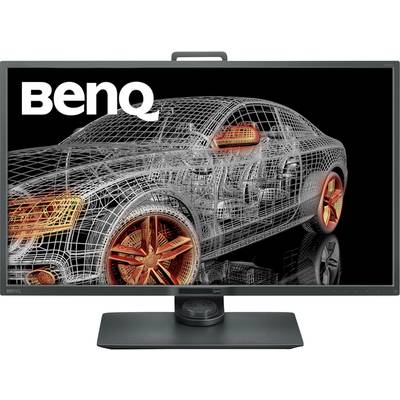
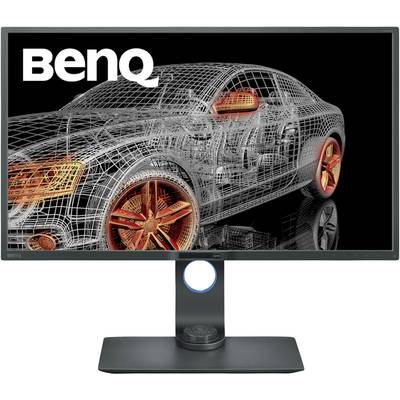
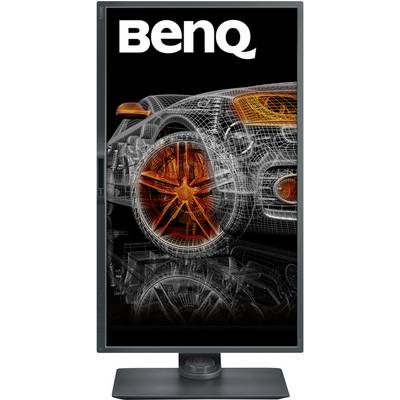
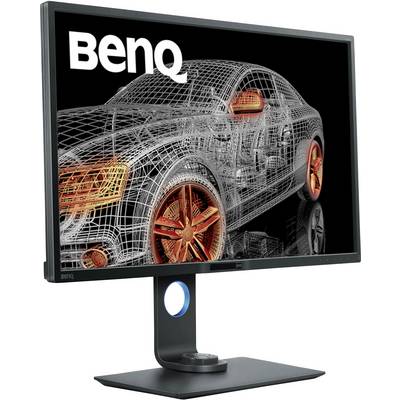
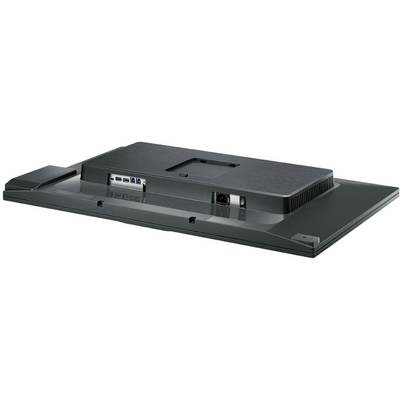
BenQ PD3200Q LCD EEC G (A - G) 81.3 cm (32 inch) 2560 x 1440 p 16:9 4 ms DisplayPort, HDMI™, DVI, USB A (USB 3.2 1st gen

BenQ PD3200Q LCD
Highlights & Details
- Screen size 81.3 cm (32 inch) WQHD, 2560 x 1440 p;Response time: 4 msEnergy efficiency rating (calc): G (A - G)
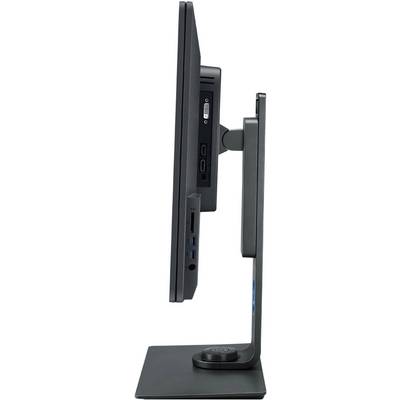
- Interfaces: DisplayPort, HDMI™, DVI, USB A (USB 3.2 1st gen), Headphone jack (3.5 mm)
Technical specifications
- Product type
LCD
- Resolution (max.)
2560 x 1440 p
- Screen size diagonal (inches)
32 inch
- Screen size diagonal (inches)
32 inch
- Image format
16:9
- Panel technology
VA LED
- Response time
4 ms
- Brightness
300 cd/m²
- Contrast ratio (dyn)
20000000 : 1
- Static contrast ratio
3000 : 1
- Dot pitch
0.276 mm
- Factory colour
Grey
- Interfaces
DisplayPort
HDMI™
DVI
USB A (USB 3.2 1st gen)
Headphone jack (3.5 mm)
- No. of DisplayPort
1 x
- No. of DVI ports
1 x
- No. of HDMI ports
1 x
- No. of MiniDPs
0 x
- No. of Thunderbolt IFs
0 x
- No. of USB ports
4 x
- No. of VGA ports
0 x
- Power consumption (standby)
0.5 W
- Hor. viewing angle
178°
- Vertical viewing angle
178°
- Width
740 mm
- Height
490 mm
- Depth
213 mm
- Weight
12.5 kg
- Dim
(W x H x D) 740 x 490 x 213 mm
- Display size
30 inch - 32 inch
- Display type
LED backlit
- Range of uses
Design
- Display resolution mode
WQHD
- Wall mounting option
100 x 100 mm VESA standard
G (A - G)
- Display
81.3 cm (32 inch)
- Display (cm)
81.3 cm
57 kWh/year
- Power consumption (ON)
39 W
- Height-adjustable to
150 mm
- Eco badge reference
TCO-certified
Documents & Downloads
Datasheet
Datasheet 1529635 BenQ PD3200Q LCD EEC G (A - G) 81.3 cm (32 inch) 2560 x 1440 p 16:9 4 ms DisplayPort, HDMI™, DVI, USB A (USB 3.2 1st gen

User & Safety Instructions
User & Safety Instructions 1529635 BenQ PD3200Q LCD EEC G (A - G) 81.3 cm (32 inch) 2560 x 1440 p 16:9 4 ms DisplayPort, HDMI™, DVI, USB A (USB 3.2 1st gen
Description
We know what it meant to from an idea a reality. The BenQ PD 3200 Q comes with a large variety of features, this will assist you in every detail of their work and leads to an excellent work.
Exceptional resolution and colors - WQHD Monitor
Get clear and more detailed images with the WQHD resolution.
10-bit, 100% sRGB and rec.709 for optimum color precision
Do you work in the familiar sRGB and rec. 709 color space and with a wide viewing angle. All models of the PD-series are after the Technicolor Color certified. To guarantee the monitors uniform and accurate colors for an impressive color brilliance.
The finest details are made visible-dark room mode
The dark room mode adjusts the brightness and contrast of images to view details clearer and sharper display and thus the optimal conditions for working in dark areas.
CAD/CAM mode
Do not overlook details more! The revolutionary CAD/CAM mode offers superior contrast to lines and edges in case of technical illustrations. The best display performance with Pro/E, SOLIDWORKS, AutoCAD, and CATIA and other CAD/CAM software.
Animation Mode
Improved details in dark shades of the animation mode so that you can comfortably in their creations can make fine adjustments, while areas this function does not require remain unchanged.
You can work efficiently with easy and intuitive design - KVM switch system
The KVM-switch system allows all users to view and control two PC systems on a screen with just one keyboard and mouse. This saves space and increases the productivity of labor.
Dual View
Improve your workflow by dual view activate and designs side by side in different display modes (e.g. sRGB and CAD/CAM mode) can show.
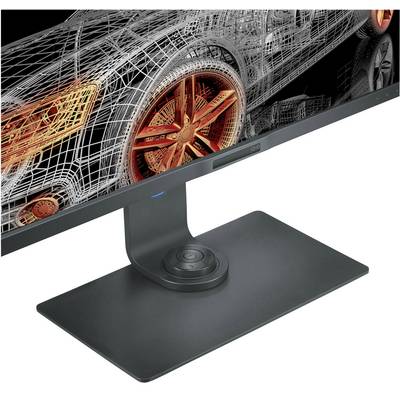
Hotkey Puck
Simply change by pressing a button on the hotkey puck, the OSD-Controller, between the CAD/CAM, animation, and low blue light mode. In addition, you can use the OSD controller, the settings in the OSD menu, such as Adjust brightness and contrast.
Ergo MONITOR HAS
Due to the variety of monitor settings, you can use your work individually according to your ergonomic needs. The following factors can be adjusted when BenQ PD 3200 Q, for example, the height, the inclination and the angle of rotation as well as the pivot function. If you use the monitor in the vertical alignment of the orientation sensor detects this and you will automatically adjust the pivot setting of the content.
Keep an eye on your health-flicker free
Stable Feedback technology prevents harmful effects by flickering in the display. Hours of work can now be reached without tired, or burning eyes..
Low Blue Light
BenQ's Low Blue Light technology was developed to filter out harmful blue light and thus to reduce fatigue and irritation of your eyes.
This text is machine translated.
Scope of delivery
- Cable
- Quick guide.
What kind of Monitors are you looking for?
- 120Hz monitor
- 144 Hz monitor
- 165 Hz monitor
- 32" monitor
- 34" monitor
- 4K monitor
- 60 Hz monitor
- Apple Studio Display
- Asus monitor
- Dell monitor
- EIZO monitor
- Gaming PC monitors
- HDMI monitor
- HP monitor
- IPS panel
- LCD monitor
- LED monitor
- PC curved monitor
- PC monitor 24"
- PC monitor 27"
- Pivoting monitor
- UHD monitor
- Ultrawide Monitors
- USB-C monitor