


• All things technology
  • Delivery within Europe
  • Right to Cancel applies
  • Specialist retailer since 1923

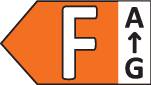
Brennenstuhl LED light bulb EEC: F (A - G) 1173780000 GU10 4.5 W

1/3
Datasheet (PDF)
EAN:
Part number:
Item no:
Unavailable

Sales and shipping:
Conrad ElectronicTerms & Conditions

Total (€ 15.99 / piece)
€ 15.99
prav.tax.untaxed incl. VAT 
plus € 19.99 
prav.priceAvailability.ecoparticipation.cost ...
prav.priceAvailability.privatecopyingfee.cost ...
without further shipping costs 
14-day return policy included

Highlights & Details

Brennenstuhl®Connect WiFi GU10 lamp 326lm, 4.5W

  • Power= 4.5 W Total luminous flux= 326 lm
  • 'Brennenstuhl connect WiFi' logo with a stylised WiFi symbol in the top left and an orange bar in the bottom right.
  • 'Works with Alexa': Logo with blue text 'alexa' and an arrow underneath, with 'works with' in black to the left
  • Logo of the Google Home with the text 'works with Google Home' in black on a white background.
  • Red circle with white text '2.4 GHz Wi-Fi' and a Wi-Fi symbol; symbolises wireless internet connection.
  • Red circle with white text: '326 LUMENS'.<br><br>Note: I've made a slight adjustment from 'LUMEN' (singular) to 'LUMENS' (plural), which is more typical in British English when referring to a measurement quantity.
  • 'Works with Amazon Alexa' next to a blue Echo symbol, indicating compatibility with Amazon Alexa features.
  • Logo of Google Assistant with the words 'Google Assistant' next to it. A blue, red, yellow, and green dot symbolise the assistant.

Technical specifications

Product type

LED light bulb

GU10

F (A - G)

Energy consumption

5 kWh/1000h

No. of bulbs

1

Operating voltage

220 V

Alexa

Google Home

Transfer Standard (Smart Home)

ZigBee

Weight

30 g

Content

1 pc(s)

15.000 h

4.5 W

Total luminous flux

326 lm

Height

55 mm

(Ø)

50 mm

UKCA

yes

Documents & Downloads

Datasheet

Datasheet 2749848 Brennenstuhl LED light bulb EEC: F (A - G) 1173780000 GU10 4.5 W

User & Safety Instructions

User & Safety Instructions 2749848 Brennenstuhl LED light bulb EEC: F (A - G) 1173780000 GU10 4.5 W

User & Safety Instructions 2749848 Brennenstuhl LED light bulb EEC: F (A - G) 1173780000 GU10 4.5 W
Description

The smart Brennenstuhl Connect WiFi LED lamp GU10 allows you to control your home, no matter where you are. Control your lights, such as your living room lighting via free Brennenstuhl Connect APP or via voice control with Amazon Alexa or Google Assistant. Observe the 2.4 GHz band of your WLAN router when connecting. In addition, the smart light bulb impresses through the following features:

* Colour temperature: 2700K - 6500K
* Power consumption: 4.5W
* Lamp socket: GU10
* Luminous flux: 326lm
* Radio frequency: 2.4 GHz WiFi
* Simple control via the Brennenstuhl Connect APP
* Can be dimmed continuously
* Various scenes for the atmosphere of light
* Timer and countdown function
* Switch from anywhere with Remote Access

This text is machine translated.

Features

  • Brennenstuhl®Connect WiFi GU10 lamp, 326 lm, 4.5 WComfortable control of your home, no matter where you are presentEasy setup and control with the free Brennenstuhl®Connect APPSwitch from anywhere with Remote AccessYou can configure individual schedules with our countdown and timer functionAll settings can also be configured via voice command with Amazon Alexa or Google Assistant.

Hints

Using Philips Hue for the first time?
Philips Hue lighting control requires A) a Philips Hue Wireless Dimming kit. An easy and very straightforward way is connecting your Philips Hues light to a Philips Hues switch. B. Using the Philips Hue Bridge together with the Philips Hue app gives you the full connectivity experience. There are two ways of getting your hands on a Philips Hue Bruidge. (1) Buy one of the starter kits that includes Bridge and lights. (2) Buy a standalone Bridge, use it as main hub, and assemble your very own Philips Hue system.
Setup:
Smartphone/tablet and router required. Screw in the bulbs. Connect Bridge to mains supply (PSU included). Hook up the Bridge to your router (LAN cable included). Download and install app. Follow the guidelines. Lights are automatically added and can be controlled via the app.

More interesting products

(*All information is plus legal VAT)