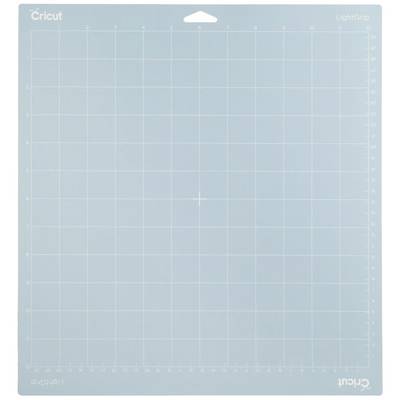
Cricut LightGrip cutting mat, 30.5 cm x 30.5 cm (12" x 12")
1 reusable cutting mat 30.5 cm x 30.5 cm (12" x 12")Can be used with standard paper, light carton, parchment and moreDesigned for maximum adhesion and durabilityFor Cricut Maker® and Cricut Explore® cutting machines
Technical specifications
Content
1 pc(s)
Product type
Cutting pad
Cutting width
30.5 cm
Factory colour
Blue
Dim
(L x W) 30.5 cm x 30.5 cm
Manufacturer part #
2007792
Model
LightGrip
Compatible with
Cricut Explore Air 2
Cricut Maker
Width
30.5 cm
Length
30.5 cm
Cutting length
30.5 cm
UKCA
yes
Documents & Downloads
User & Safety Instructions
User & Safety Instructions 2582380 Cricut LightGrip™ Cutting pad Cutting width 30.5 cm Blue
Description
Ideal for standard paper, light cardboard, parchment and much more, the LightGrip cutting mat has been carefully developed for a variety of light materials. As an interface between your material and your Cricut machine, each reusable mat is designed to keep your material in place when you cut it. After cutting, the finished cutting can be easily removed. Each mat offers the best possible adhesion and a long life. For use with Cricut Maker® and Cricut Explore® cutting machines.
This text is machine translated.
Hints
Tips: When storing, keep the transparent foil cover on the mat to keep the mat free of paper residues and dust. Use the scraper to scrape off excess parts and the spatula to carefully remove cut images. To ensure optimum performance, the recommended media types should be used on the mats.
Description
Ideal for standard paper, light cardboard, parchment and much more, the LightGrip cutting mat has been carefully developed for a variety of light materials. As an interface between your material and your Cricut machine, each reusable mat is designed to keep your material in place when you cut it. After cutting, the finished cutting can be easily removed. Each mat offers the best possible adhesion and a long life. For use with Cricut Maker® and Cricut Explore® cutting machines.
This text is machine translated.
Hints
Tips: When storing, keep the transparent foil cover on the mat to keep the mat free of paper residues and dust. Use the scraper to scrape off excess parts and the spatula to carefully remove cut images. To ensure optimum performance, the recommended media types should be used on the mats.