User & Safety Instructions 2238946 LogiLink QP0027 No. of HDDs (max.): 1 x 2.5 inch, 3.5 inch
Description
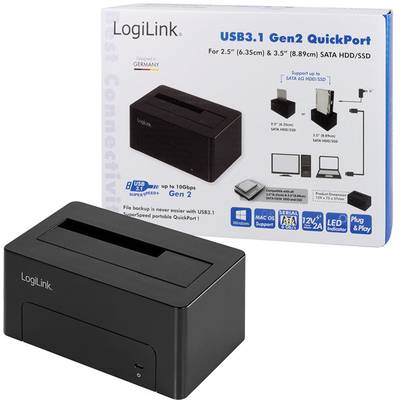
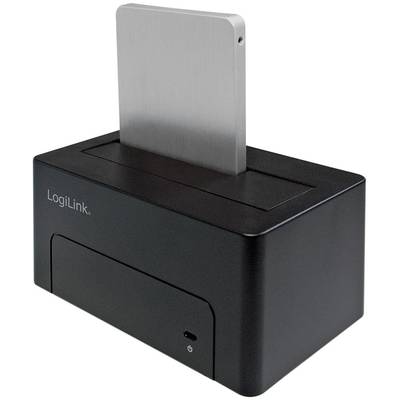
With LogiLink USB 3.1 Gen2 docking station you can connect 2.5 and 3.5" SATA hard disks to your computer without opening the PC or using an external hard disk casing. It is simply connected to the computer with the USB 3.1 cable included in the delivery. The hard disk can then be plugged into the docking station at the top. Also features an LED indicator for power supply and data transfer progress.
This text is machine translated.
Scope of delivery
1x USB 3.1 QuickPort | 1x USB 3.1 connection cable (Type-A to Type-C) | 1x USB 3.1 connection cable (Type-C to type-C) | 1x power adapter (12V/2A) | 1x operating instructions
Hints
2direct, LogiLink, QP0025, QP0026, QP0027, QP0028, QP0029, QuickPort, Docking station, HDD, SSD, hard disk, SATA, S-ATA, serial ATA, Clone, USB, USB-C, USB type C, USB 3.1, USB 3.0, USB 2.0, Windows, Mac, Linux, 2.5 ", 3.5", Backup, Copy, Copy,
Description
With LogiLink USB 3.1 Gen2 docking station you can connect 2.5 and 3.5" SATA hard disks to your computer without opening the PC or using an external hard disk casing. It is simply connected to the computer with the USB 3.1 cable included in the delivery. The hard disk can then be plugged into the docking station at the top. Also features an LED indicator for power supply and data transfer progress.
This text is machine translated.
Scope of delivery
1x USB 3.1 QuickPort | 1x USB 3.1 connection cable (Type-A to Type-C) | 1x USB 3.1 connection cable (Type-C to type-C) | 1x power adapter (12V/2A) | 1x operating instructions
Hints
2direct, LogiLink, QP0025, QP0026, QP0027, QP0028, QP0029, QuickPort, Docking station, HDD, SSD, hard disk, SATA, S-ATA, serial ATA, Clone, USB, USB-C, USB type C, USB 3.1, USB 3.0, USB 2.0, Windows, Mac, Linux, 2.5 ", 3.5", Backup, Copy, Copy,