• All things technology
  • Delivery within Europe
  • Right to Cancel applies
  • Specialist retailer since 1923

Logitech Ergo K860 Wireless Keyboard Swiss, QWERTZ Black Ergonomic

1/3
Datasheet (PDF)
EAN:
Part number:
Item no:
Unavailable

Sales and shipping:
Conrad ElectronicTerms & Conditions

Highlights & Details

Logitech keyboard ERGO K860

  • Swiss keyboard layout: QWERTZ (CH)
  • Ergonomically divided keypad for a comfortable and natural posture
  • Padded wrist rest with adjustable angle
  • Wireless connection via USB receiver or Bluetooth (Up to 10 m range)
  • Keys with short key stroke for smooth and precise typing
  • Customizable media keys via optional Logitech Options software
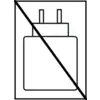
  • Symbol of a charger with a diagonal line prohibiting use or carrying. Black background.

Technical specifications

Product type

Keyboard

Interfaces

USB

Keyboard layout

Swiss, QWERTZ

Transfer type

Wireless

Data input device features

Ergonomic

Cable length

0 cm

Factory colour

Black

Width

25 cm

Height

4.80 cm

Depth

49 cm

UKCA

yes

Documents & Downloads

Datasheet

Datasheet 2518833 Logitech Ergo K860 Wireless Keyboard Swiss, QWERTZ Black Ergonomic

User & Safety Instructions

User & Safety Instructions 2518833 Logitech Ergo K860 Wireless Keyboard Swiss, QWERTZ Black Ergonomic

Description

The Logitech ERGO K860 is an ergonomic keyboard for a healthy and natural attitude while typing. The advanced, ergonomic design of the keyboard promotes a more relaxed writing posture by reducing the bending of the wrist by 25% and offering 54% more wrist support. The curved, split keyboard reduces the muscle strain of the wrists and forearms, while the padded wrist rest offers comfort and an optimum ergonomic position. Thanks to the adjustable angle of the wrist rest, the natural posture is given both while sitting and standing. The short key stroke also promotes fluid and precise writing on the keyboard. The keyboard can be connected via Bluetooth and USB receiver with up to three terminals and can easily switch between them by pressing a button.

USB receiver for wireless comfort
enjoy her ample freedom of movement without annoying cable mess: USB wireless input devices establish a wireless connection to the receiver, which you plug into a free USB connection.

Wireless comfort: Bluetooth connection
gives you plenty of freedom of movement without annoying cable mess: This input device establishes her wireless direct connection to your Bluetooth-enabled computer. Unlike other wireless devices, no USB receiver is required. In this way, you can keep your USB connections free for other peripherals.

This text is machine translated.

Accessories

(*All information is plus legal VAT)

The necessary accessories are required to use the article as described.