Number
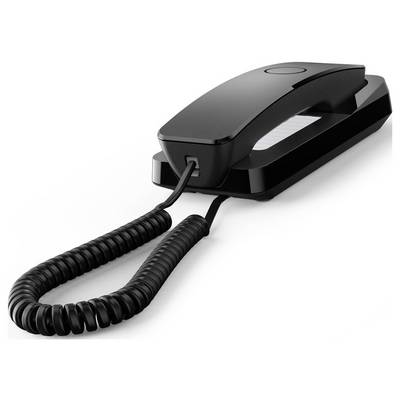
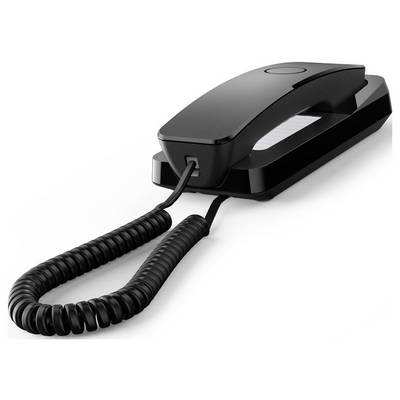
Gigaset DESK 200 analogue telephone black
Highlights & Details
- Space-saving thanks to particularly slim design
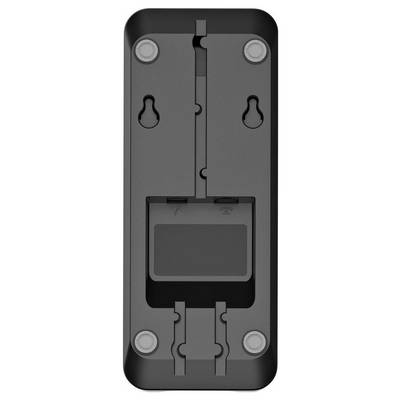
- Easy wall mounting possible
- Power supply via the telephone line, no separate power supply needed
- Ten speed-dial buttons
- Hearing aid compatible
- LED call signaling
- Suitable for operation on telephone systems
- DTMF/pulse dialing can be set
- Flash function can be set
Technical specifications
- Product type
Corded analogue
- Features
Hearing aid compatibility
Visual call notification
Redial
- Keyboard backlighting
No
- Answerphone
No
RJ11 socket
- Factory colour
Black
- Type
Analogue telephone
- UKCA
yes
- Phonebook capacity
10 Eintragungen
- Caller ID
no
- Redialing
yes
- Answering machine
no
- Base dimensions (WxDxH)
80 x 208 x 57 mm
- Handset dimensions (WxDxH)
51 x 197 x 47 mm
- Base weight
352 g
- Manual
yes
- LED on handset
yes
- Analog line cable
yes
- Number of melodies
3
- Built-in display
no
- Number of handsets included
1
Documents & Downloads
User & Safety Instructions
User & Safety Instructions 3737869 Gigaset DESK 200 Corded analogue Hearing aid compatibility, Visual call notification, Redial Black
Description
The Gigaset DESK 200 combines the most important telephone functions with an especially narrow and compact design. It is therefore suitable as a space-saving desk telephone or can alternatively be mounted on the wall quickly and easily. With its spiral cable it provides the freedom of movement while telephoning The Gigaset DESK 200 can be connected to the landline or can be used as part of an internal telephone network at home or in office.
Power supply via the telephone line
The Gigaset DESK 200 does not require a separate power supply; the power is supplied directly via the telephone line. Setting up the system is therefore particularly simple: Connect the Gigaset DESK 200 to the telephone socket (public network, private extension system or gateway) - and your telephone is ready for use.
Visual and audible call notification
The melody and volume of the Gigaset DESK 200 can be easily adjusted. Three different melodies can be selected, which can be set at three different volume levels. In addition, the visual call signaling by the LED at the earpiece helps that no call is missed even in particularly loud environments. If you want to have your peace, the ring tone can also be switched off. Incoming calls are then only displayed visually.
Quickly connected
Up to ten call numbers can be stored as speed dialing and thus enable a fast connection to the people with whom one often speaks. The speed dial numbers are noted on the enclosed paper insert and are thus handy at all times. With the handy redial function, you can immediately record your last call by pressing a button. You need to talk to someone in the room and you don't want the other end of the line to listen in? Hold the conversation on the line and press the mute button. Means you can't hear them over the phone. Another important function for all hearing impaired: The Gigaset DESK 200 is hearing aid compatible.
Calling method
The DESK 200 is suitable both for connection in landlines and to telephone systems. It supports both common dialing methods and thus offers maximum flexibility for the analogue telephone connection.
- Pulse dialing (IWV)
- Multi-frequency dialing (DTMF)
Depending on the telephone system, the dialing procedure or the flash time of the telephone may have to be changed. There is a slide switch on the receiver of the DESK 200, with which the device is simply set to the desired dialing mode.
This text is machine translated.
Features
- Space-saving thanks to particularly slim design
- Easy wall mounting possible
- Power supply via the telephone line, no separate power supply needed
- Ten speed-dial buttons
- Hearing aid compatible
- Redialling
- LED call signaling
- Suitable for operation on telephone systems
- Tone dialing/pulse dialing can be set
- Inquiry (Flash) adjustable


