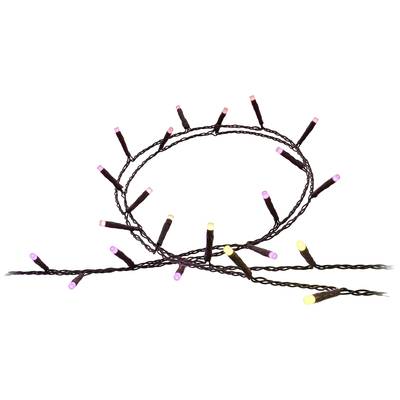
User & Safety Instructions 2973301 Philips Hue LED strip 8720169246621 Hue Festavia
Description
With 250 smart mini-LEDs along a 20-meter cable, Hue Festavia fairy lights are the perfect decoration for indoors and outdoors. Create a gradient along the entire light chain, or use a white or color for a more traditional look.
With the Hue Bridge available separately, you can control up to 50 Hue bulbs and indoor and outdoor lights simultaneously and use many more features: Simulate your presence by controlling your light from the traveling, no matter where you are at the moment Adjust your light to your daily routine by setting automated routines and creating your own lighting scenes Experience maximum entertainment by synchronizing your light with films, games and music
This text is machine translated.
Features
250 smart LEDs (16 MIO. Colours, all shades of white)
20.0m light chain (black) + 4.4m cable to the power plug
Designed for indoor and outdoor use
Lamp chain IP54, power supply IP44
Protection class III
Gradient function allows several light colors at the same time
Synchronise the light with your music (requires a Philips hue bridge)
The right ambience for any festive occasion with effects such as glitches, sparks and candlelight
Ideal for use in (Christmas) trees up to 2.1m, hedges and around your terrace
Compatible with the Hue low-voltage system
Scope of delivery
Lamp chain
30W power supply
User manual.
Hints
Using Philips Hue for the first time?
Philips Hue lighting control requires A) a Philips Hue Wireless Dimming kit. An easy and very straightforward way is connecting your Philips Hues light to a Philips Hues switch. B. Using the Philips Hue Bridge together with the Philips Hue app gives you the full connectivity experience. There are two ways of getting your hands on a Philips Hue Bruidge. (1) Buy one of the starter kits that includes Bridge and lights. (2) Buy a standalone Bridge, use it as main hub, and assemble your very own Philips Hue system.
Setup:
Smartphone/tablet and router required. Screw in the bulbs. Connect Bridge to mains supply (PSU included). Hook up the Bridge to your router (LAN cable included). Download and install app. Follow the guidelines. Lights are automatically added and can be controlled via the app.