Write precisely and preciselyNatural writing experience like with a pen on paperIdeal for a productive everyday life
Technical specifications
Product type
Digital pen
Compatible devices
Dell
Factory colour
Black
Features
Rechargeable
Keyboard layout
Keyboard not included
UKCA
yes
Documents & Downloads
User & Safety Instructions
User & Safety Instructions 2530928 Dell Active Pen - PN5122W Digital pen Rechargeable Black
Description
Write precisely and precisely4,096 pressure sensitivity levels allow you to create strokes with different brightness or darkness and detailed shading.Natural writing experience like with a pen on paperThe tilt function and the wedge-shaped spring offer a natural and comfortable writing experience, because the Active Pen can take up the smallest print nuances. Benefit from an almost instantaneous, fast response.Ideal for a productive everyday lifeThe active pen comes with an AAAA battery and is designed for 12 months of battery life. Convenient side buttons provide quick access to frequently used apps or functions. Use standard features and applications, set pressure sensitivity, or customize your preferred keyboard shortcuts using Dell Peripheral Manager software.
This text is machine translated.
Scope of delivery
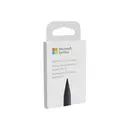
Tips (2 off)
AAAA rechargeable battery
Software
System requirements
Windows 10 or later
Windows 11
Description
Write precisely and precisely4,096 pressure sensitivity levels allow you to create strokes with different brightness or darkness and detailed shading.Natural writing experience like with a pen on paperThe tilt function and the wedge-shaped spring offer a natural and comfortable writing experience, because the Active Pen can take up the smallest print nuances. Benefit from an almost instantaneous, fast response.Ideal for a productive everyday lifeThe active pen comes with an AAAA battery and is designed for 12 months of battery life. Convenient side buttons provide quick access to frequently used apps or functions. Use standard features and applications, set pressure sensitivity, or customize your preferred keyboard shortcuts using Dell Peripheral Manager software.