


• All things technology
  • Delivery within Europe
  • Right to Cancel applies
  • Specialist retailer since 1923

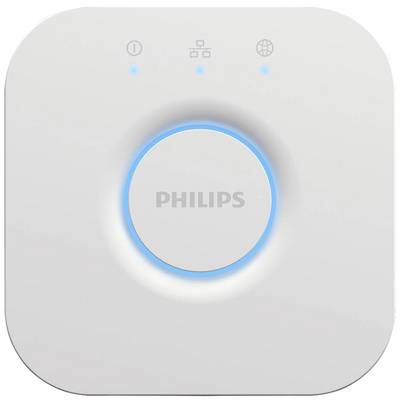
Philips Hue Hue Hub 871951434262000 Hue Bridge weiß

1/13
Datasheet (PDF)
EAN:
Part number:
Item no:
Fast track dispatch on Wed 28 Oct

58 Piece(s)
Sales and shipping:
Conrad ElectronicTerms & Conditions

Number
Total (€ 59.99 / piece)
€ 59.99
prav.tax.untaxed incl. VAT 
plus € 19.99 
prav.priceAvailability.ecoparticipation.cost ...
prav.priceAvailability.privatecopyingfee.cost ...
without further shipping costs 
14-day return policy included

Highlights & Details

Philips Hue Bridge white

  • 'Works with Amazon Alexa' next to a blue Echo symbol, indicating compatibility with Amazon Alexa features.
  • Logo of Google Assistant with the words 'Google Assistant' next to it. A blue, red, yellow, and green dot symbolise the assistant.

Technical specifications

Product type

Hub

Operating voltage

230 V

Google Home

Alexa

n.rel.

Data exchange

Bidirectional (bi)

Data transfer (Smart Home)

Wireless

Yes

Transfer Standard (Smart Home)

ZigBee

Weight

220 g

Factory colour

White

Material

Plastic

Width

88 mm

Height

26 mm

Length

88 mm

IP20

Series

Hue

Depth

100 mm

UKCA

yes

Documents & Downloads

Datasheet

Datasheet 2437114 Philips Hue Hue Hub 871951434262000 Hue Bridge weiß

User & Safety Instructions

User & Safety Instructions 2437114 Philips Hue Hue Hub 871951434262000 Hue Bridge weiß

Description

The Hue Bridge is the central hub of the smart Philips Hue lighting system. With it you can add and control up to 50 lights and accessories. Simply connect the Hue Bridge and control automatic functions, timers, your own lighting scenarios and more with the Hue app.

This text is machine translated.

Features

  • Central control element of the Hue lighting system
  • Easy connection to the router and Hue app
  • Control of up to 50 smart lamps

Scope of delivery

  • 1 bridge, 1 power supply, 1 LAN cable

Hints

Using Philips Hue for the first time?
Philips Hue lighting control requires A) a Philips Hue Wireless Dimming kit. An easy and very straightforward way is connecting your Philips Hues light to a Philips Hues switch. B. Using the Philips Hue Bridge together with the Philips Hue app gives you the full connectivity experience. There are two ways of getting your hands on a Philips Hue Bruidge. (1) Buy one of the starter kits that includes Bridge and lights. (2) Buy a standalone Bridge, use it as main hub, and assemble your very own Philips Hue system.
Setup:
Smartphone/tablet and router required. Screw in the bulbs. Connect Bridge to mains supply (PSU included). Hook up the Bridge to your router (LAN cable included). Download and install app. Follow the guidelines. Lights are automatically added and can be controlled via the app.

System requirements

  • IOS, Android

More interesting products

(*All information is plus legal VAT)