Number
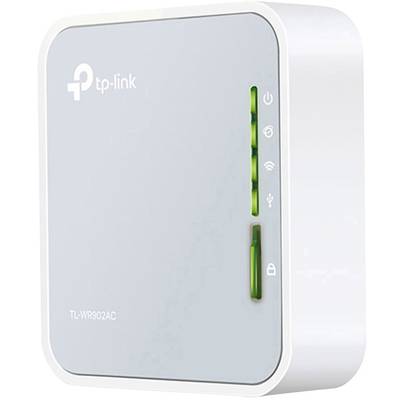
TP-LINK TL-WR902AC portable AC750 WLAN router
Highlights & Details
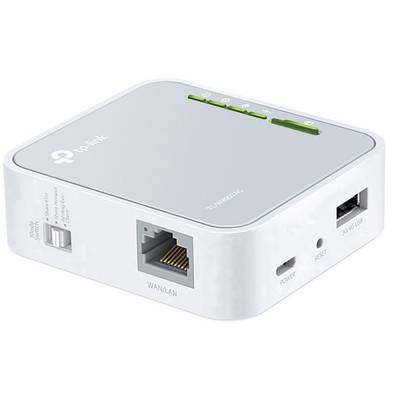
- Compact design - ideal for traveling
- WLAN via LAN cable, 3G/4G USB-Stick or WISP
- Dual-band WLAN-AC-Standard Fast connections for smooth HD streaming
- A switch for multiple modes - perfect for use at home, in the hotel room or for traveling
- Flexible speisbar-via a USB adapter, a power bank or a laptop
- Versatile USB used for the data exchange or as a 3G/4G modem suitable
Technical specifications
- Product type
Wi-Fi router, repeater, access point
- Type
TL-WR902AC
- Wi-Fi standard
IEEE802.11ac
IEEE802.11n
IEEE802.11b
IEEE802.11g
- Wi-Fi frequency band
2.4 GHz
5 GHz
- Wi-Fi transmission rate (max.)
750 MBit/s
- Wi-Fi speed 2.4 GHz
300 MBit/s
- Wi-Fi speed 5 GHz
433 MBit/s
- LAN data transfer rate
100 MBit/s
- Interfaces
LAN (10/100 Mbps)
Micro USB
USB
- 10/100 Mbps ports
1 x
- Width
74 mm
- Height
22 mm
- Depth
67 mm
- Weight
0.30
- Factory colour
Multicolour
- UKCA
yes
Documents & Downloads
Datasheet
Datasheet 1533914 TP-LINK TL-WR902AC Wi-Fi router, repeater, access point 2.4 GHz, 5 GHz 750 MBit/s
User & Safety Instructions
User & Safety Instructions 1533914 TP-LINK TL-WR902AC Wi-Fi router, repeater, access point 2.4 GHz, 5 GHz 750 MBit/s
Conformity certificate
Conformity certificate 1533914 TP-LINK TL-WR902AC Wi-Fi router, repeater, access point 2.4 GHz, 5 GHz 750 MBit/s
Description
Your WLAN as a constant companion!
Mobile and compact
The TL-WR902AC fits in every bag and every backpack and is thus the optimum WLAN device for you while traveling. The USB mini-adapter is Ideal for travellers, students and adventurers, therefore easy for everyone on the move.
Excellent WLAN speeds with the AC standard
Three times as fast as the N-standard, the TL-WR902AC offers with the next WLAN generation total speeds of up to 733Mbit/s, Ideal for several applications simultaneously.
WLAN anywhere and at any time!
WLAN in every conceivable situation: Whether as router, hotspot, repeater, client or access point,
The TL-WR902AC can simply do everything.
On the way
1. Router mode
Connect the device in a hotel via cable or a 3G/4G modem to directly create your own WLAN and enjoy Internet access on all your devices.
2. Hotspot mode
Connect the device to a WISP to have your own Wi-Fi hotspot in public.
At home
3. Repeater-Modus
Extend the range of your existing WLAN in order to eliminate the last dead spots.
4. Client mode
Allow also the cabled devices the access to your WLAN.
5. Access point mode
Use this mode to create a WLAN for all nearby WLAN-enabled devices.
This text is machine translated.
Scope of delivery
- AC750 wireless travel router TL-WR902AC
- Power supply unit
- Network cable
- Quick installation guide


