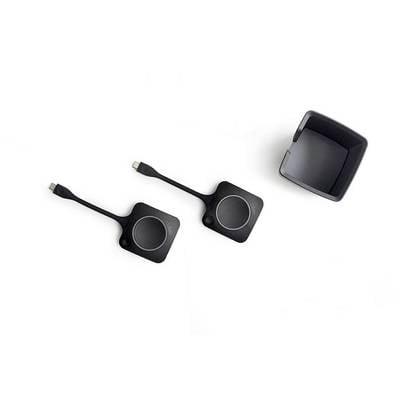
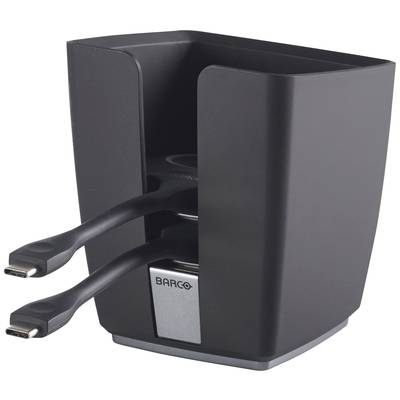
Barco Clickshare USB-C™ Button Kit for C + CX series (2 x Button + Tray)
Consisting of ClickShare Tray and 2 x Conferencing ButtonsStylish compartment for ClickShare buttonsFor clear meeting roomsAlways have the buttons ready for sharing
Technical specifications
Product type
Transmitter
Interfaces (input)
USB C®
Factory colour
Black
Weight
0.863
Width
21 cm
Switch function
Key
No. of outputs
3 x
No. of switchable PCs
3 pc(s)
UKCA
yes
Documents & Downloads
User & Safety Instructions
User & Safety Instructions 2618011 Barco Clickshare USB-C™ 2x Button + Tray Kit Black
Description
Equip your meeting rooms with a practical and modern tray and additional buttons.Great things happen when you click. When working with colleagues, partners, or customers, you often need more than one ClickShare Conferencing button to share content in the meeting room. It is essential to have different ClickShare Conferencing buttons.The furnishing of clear and clean workplaces is a nice extra. For this reason we have introduced this package with ClickShare Tray and two Conferencing Buttons.Equip your meeting rooms with a practical and modern tray and additional buttons.ConnectConnect the button via the USB-A or USB-C™ connection and select the meeting room on your Collaboration app.KlickClick the hardware button or the virtual button of the Collaboration app.ShareStart working together without stress.
This text is machine translated.
Features
Weight: 2 kg
Color: Black
Width: 21 cm
Product type: Wireless Presentation
Scope of delivery
2 x Clickshare USB-C™ Button
ClickShare Tray (button holder)
Description
Equip your meeting rooms with a practical and modern tray and additional buttons.Great things happen when you click. When working with colleagues, partners, or customers, you often need more than one ClickShare Conferencing button to share content in the meeting room. It is essential to have different ClickShare Conferencing buttons.The furnishing of clear and clean workplaces is a nice extra. For this reason we have introduced this package with ClickShare Tray and two Conferencing Buttons.Equip your meeting rooms with a practical and modern tray and additional buttons.ConnectConnect the button via the USB-A or USB-C™ connection and select the meeting room on your Collaboration app.KlickClick the hardware button or the virtual button of the Collaboration app.ShareStart working together without stress.