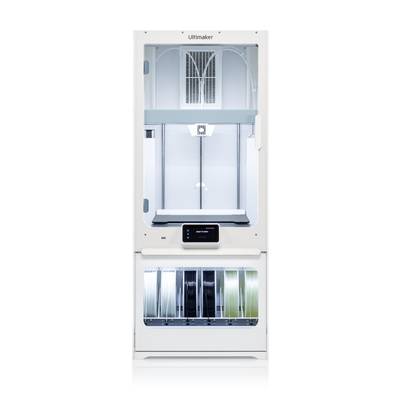
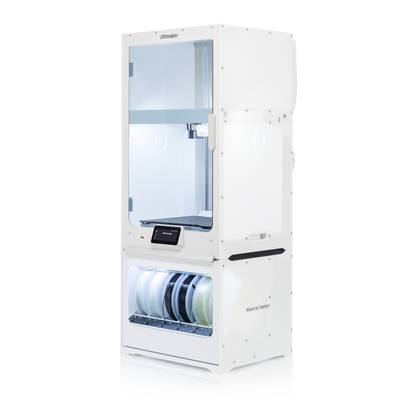
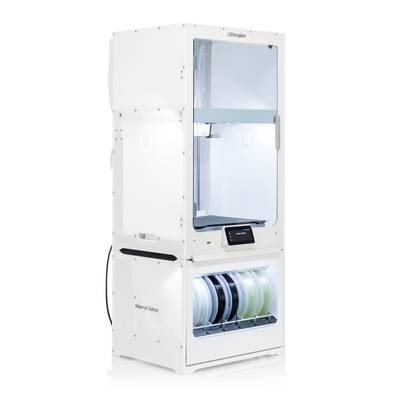
3D printing around the clock with the Ultimaker S7 Pro bundle
The material station included in the Ultimaker S7 pro bundle converts the latest 3D printer of the S-series in a real production power station. This unique upgrade greatly simplifies 3D printing by automatically switching from up to 6 coils. A constant moisture control also ensures that the print material is delivered in optimum condition for high-quality 3D prints.
Productivity
With the Material Station, the output of high-quality 3D printing objects and models can be maximized with the Ultimaker S7. The high capacity and moisture control inside the media chamber increases the success rate, print quality and uptime of the Ultimaker S7, so you can benefit from reliable production around the clock while reducing human error, print job time, and manual intervention.
Unattended operation
The Material Station has been designed and tested to allow unattended operation of the Ultimaker S7 to print day and night. If a different material needs to be loaded during a print job or a coil has been used up, the Material Station automatically switches to a new coil.
Reduced operator time
Only seconds are required to use new material in the Material Station. Simply open the access door, insert the new coil in the compartment and insert the material line into one of the extruders. Any coil that is not in use can also be replaced during printing.
Reduced print job time
With the help of the material station, the Ultimaker S7 can handle the most different print jobs. NFC material detection informs Ultimaker Digital Factory of which coils have been used and optimally manages your job queue to minimize downtime.
Higher quality
The material station of the Ultimaker S7 Pro bundle stores material in an environment with less than 40% relative humidity. This ensures that the filament remains in impeccable condition.
Reliability
The Ultimaker S7 pro bundle optimizes the provision of 3D printing materials. The closed, moisture-regulating chamber keeps the filament in its optimum condition. During the actual 3D printing process, the reader detects when filament runs out on a coil and initiates an automatic spool change if necessary. This avoids human error and provides better print quality.
Consistent material quality through moisture control
Humidity, dust, ... - No problem for the Material Station. Simply connect and the integrated silica gel pulls the moisture out of the air and provides less than 40% relative humidity in the fully closed chamber ? Even in outdoor conditions with up to 70% humidity. Once fully sucked up, the silica gel regenerates automatically.
End-of-material detection
With the Material Station, print jobs never have to be interrupted again due to a lack of material. Instead, materials can be used to the maximum and always print to the end of a coil. Each filament pocket in the Material Station has end-of-material recognition and automatically changes the coils.
Reduced risk of human error in material handling and storage
The Material Station reduces the risk of human error in material handling and storage. Issued filament is always retracted with a clean, sharp tip. Moreover, moisture-sensitive filament can easily be stored in the moisture-controlled chamber.
Effectiveness
The material station can be integrated with the Ultimaker S7, Cura and digital factory. With six NFC front-panel trays and a simple, maintenance-free design, it is now easier than ever to use, load, and print virtually any combination of polymers and abrasive composites to create new 3D printing applications.
Front side operation
Thanks to the material station, coils do not have to be replaced via the rear side of the Ultimaker S7. Material can be conveniently inserted and removed from the front ? Even while another coil is printing. Simply insert the material into any compartment, insert the filament into the extruder opening 1 or 2, or press the eject button if you want to remove a coil.
Support for third-party (composite) materials
With abrasion-resistant prefeeders in each tray, the Ultimaker S7 Pro bundle enables the loading, printing and storage of a larger selection of third-party material ? Including glass and carbon fiber composites.
Low maintenance
The Material Station is an extremely powerful accessory that does not require any planned maintenance. Simply unpack, connect two Bowden tubes and two cables and triple the coil capacity of the Ultimaker S7 in just a few minutes.
This text is machine translated.