• All things technology
  • Delivery within Europe
  • Right to Cancel applies
  • Specialist retailer since 1923

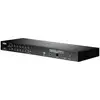
ATEN CS1924-AT-G KVM changeover switch USB 4096 x 2160 Pixel

1/8
Datasheet (PDF)
EAN:
Part number:
Item no:
Unavailable

Sales and shipping:
Conrad ElectronicTerms & Conditions

Highlights & Details

ATEN CS1924-AT-G KVM changeover switch

  • 4-Port DisplayPort KVMP™ Switch with USB 3.1 Gen1 Hub and 2.1 Surround Sound Audio
  • A USB console controls 4 computers and 2 USB peripherals
  • Computer selection via front push buttons, hot buttons and mouse*
  • Independant switching of KVM, USB and audio focus
  • Superior video quality – 4K UHD (3840 x 2160 at 60 Hz) and 4K DCI (4096 x 2160 at 60 Hz)
  • 2-Port USB 3.1 Gen 1 Hub with SuperSpeed 5 Gbps Data transfer rates
  • This text is machine translated.

Technical specifications

  • HD-type: 4K Ultra HD
  • Maximum resolution 4096 x 2160 pixels
  • Video bandwidth 60 Hz
  • Keyboard port type: USB
  • Mouse port type: USB
  • Video port type: DisplayPort
  • Scanning interval 1.99 s.
  • Product color: Black
  • Rack capacity: 1U
  • Material: Metal, plastic
  • Power consumption (typical): 14.2 W.
Product type

KVM changeover switch

No. of switchable PCs

4

Video resolution

4096 x 2160 Pixel

Controller

USB

Audio headphones

Yes

Audio microphone

Yes

No. of USB 2.0 ports

2 x

Ethernet ports

1

Stackable

No

Switch function

Hot key

Power supply (LOV)

via PSU

Factory colour

Black

Weight

910 g

Length

55.5 mm

Width

270 mm

Height

88 mm

Dim

(L x W x H) 55.5 x 270 x 88 mm

UKCA

yes

Documents & Downloads

Datasheet

Datasheet 1879806 ATEN CS1924-AT-G KVM changeover switch USB 4096 x 2160 Pixel
User & Safety Instructions

User & Safety Instructions 1879806 ATEN CS1924-AT-G KVM changeover switch USB 4096 x 2160 Pixel
Description

Features

  • DisplayPort 1.2 compatible, HDCP compatible
  • supports HD audio via DisplayPort**
  • full bass playback for high-quality 2.1 channel surround sound systems
  • On-switch detection – when a computer is turned off, If the CS1924 automatically switches to the next computer that is switched on
  • Multi-Stream Transport (MST) enables multiple monitors via a single DisplayPort connection***
  • Dual-mode DisplayPort technology (DP++) supports HDMI and DVI signals via a DisplayPort to HDMI/DVI DP++ adapter****
  • Hot plug-able – Add or remove computer without shutting down the switch
  • Keyboard Emulation/Bypass function supports most Gaming Keyboards
  • Mouse Emulation/Bypass feature supports most mouse drivers and multi-function mice
  • Multi-platform support - Windows, Mac and Linux
  • Multilanguage Keyboard Mapping supports English, Japanese, French and German Keyboards
  • Mac Keyboard Support and Emulation*****
  • Automatic scan mode
  • for monitoring all computers firmware upgrade possible

Scope of delivery

  • 1x CS1924 4-Port USB 3.0 4K DisplayPort KVMP™ Switch
  • |4x LIN5-20K1-K13G DisplayPort cable
  • 4x LIN6-11C1-E12G USB 3.0 cable
  • 4x LIN5-0205-21CG audio cable
  • 4x LIN5-0205-21DG audio cable
  • 1x 0AD8-8005-40MG power supply
  • X LIN2-418K-E12G DC power cable
  • 1x User Guide

Hints

* Mouse port change is only supported in mouse emulation mode with a USB 3-button mouse wheel.
** HD Audio via DisplayPort cannot be changed independantly.
*** MST requires two monitors capable of DisplayPort 1.2 daisy chaining or a DisplayPort MST hub. The PC source must be DisplayPort 1.2 compatible. A DisplayPort v1.1a monitor can be the last monitor in a DisplayPort v1.2 chain.
**** Dual Mode DisplayPort technology (DP++) does not require an active adapter for most single monitor applications. Active DisplayPort adapters are recommended if you are unsure about the DP++ compatibility of the video source.
***** PC keyboard combinations emulate Mac keyboards. Mac keyboards only work with their own operating system.